

GTMHarbor & Pine · Project
Separate from Billing,Support and Product
- Spaces🚀 Launches🏷️ Pricing🤝 Partners
- RoutinesPipeline report Mon 8amLead follow-ups daily
- Plugins


- LoginsLinkedInGoogle AdsHubSpot
- Members


 Only the people you add+ Invite

Private, secure AI management
Your own private AI computer in the cloud, live in 30 seconds. Use it from any device, with the AI you already pay for.
From $29.99 a month · Bring your own AI · Cancel anytime
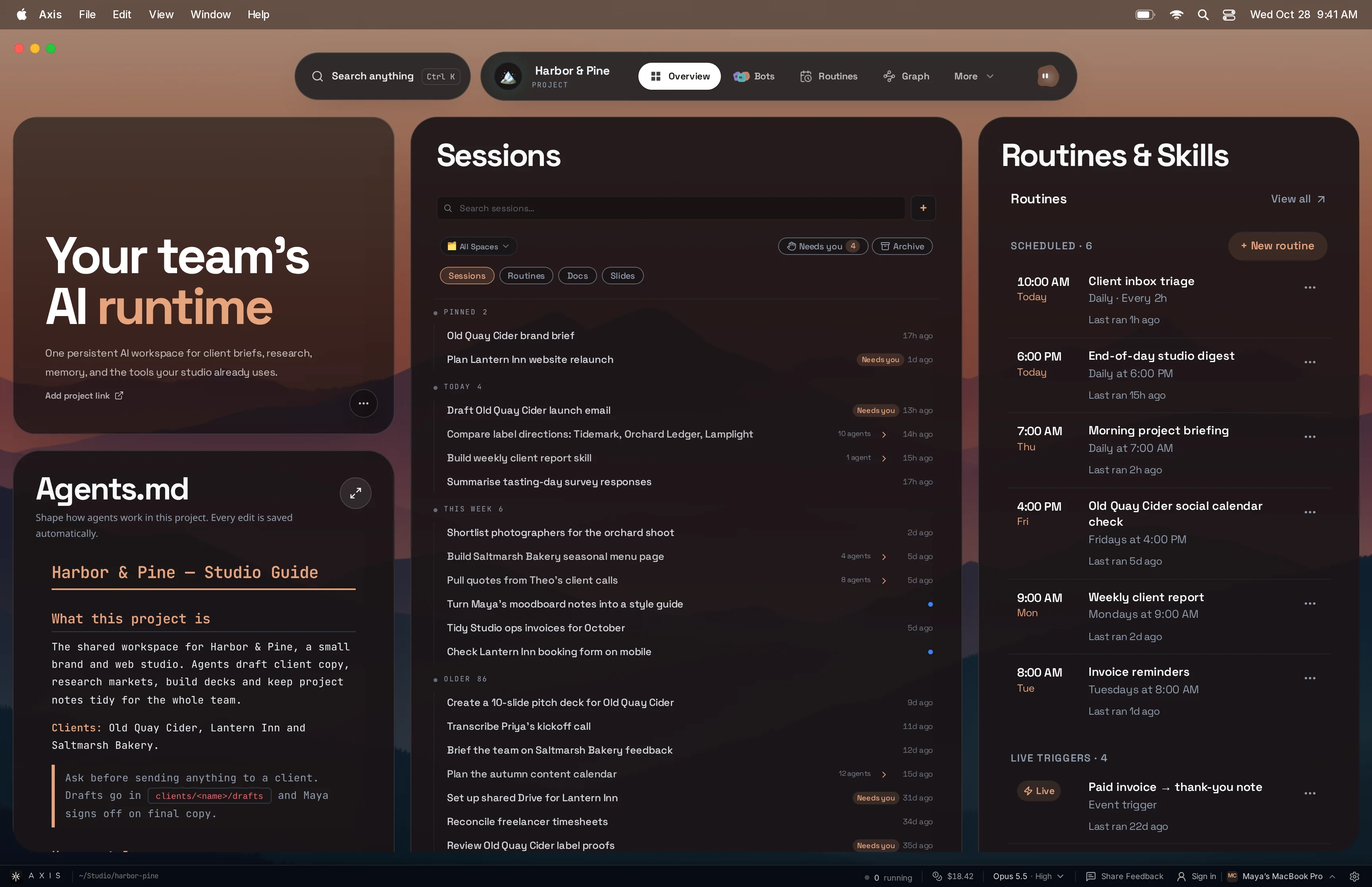


How it works
No downloads, no terminal, no VPN. Your own server is created for you, you sign in through Axis Edge, and you can work from anywhere.
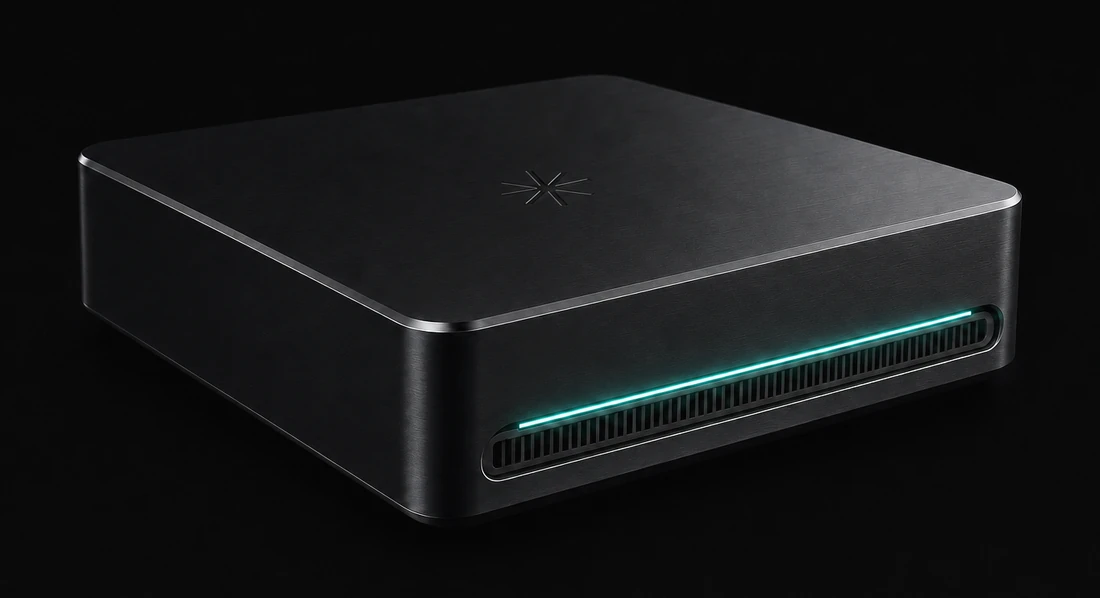
Your private server
Created just for you

Axis Edge
Sign in with email, Google or Apple


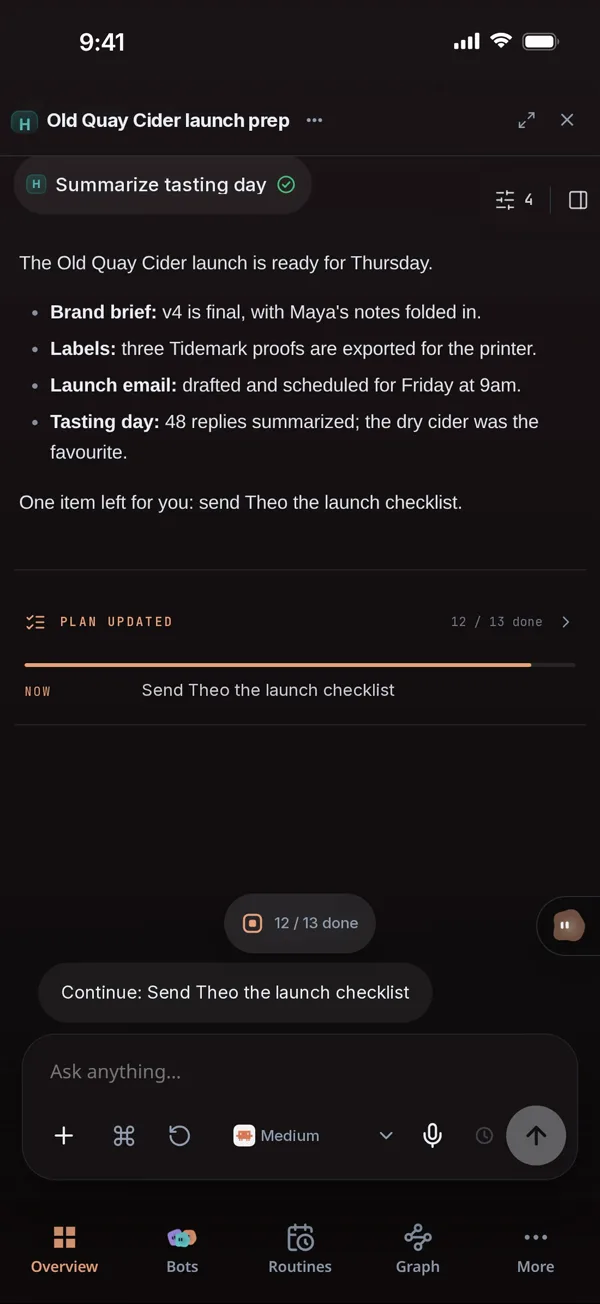

You're in
Work from any device
Bring your own AI
Use the Claude, ChatGPT or other plans you already pay for, or your own API keys. Model requests go straight from your server to the provider you choose, and you can switch whenever you like.
AXIS Claude
 ChatGPT and Codex
 Gemini
 Grok
Grok Meta
Meta MiniMax
 OpenRouter
Connects to your tools
Connect an account once and every agent on your server can use it. Anything with an MCP server plugs in too.
Google WorkspaceSlackNotion GitHubFigma
 StripeGmail
 Supabase
 PostHog
 X
X ElevenLabs
 Twilio
 Trainual
 Supadata
 Amazon Web Services
 Google Cloud
 Railway
 Render
 RunPod
 Namecheap+Any MCP server
 Your agents use them all from one place
Any device
Your server stays on around the clock, so your work is waiting on your phone, tablet or laptop. Close the laptop and your agents keep going.
Your Axis server
Always on
 Van 7 rerouted · 16 min savedOld Quay Fleet · now
Van 7 reroutedOld Quay Fleet · now
Van 7 rerouted · 16 min savedOld Quay Fleet · now
Van 7 rerouted · 16 min savedOld Quay Fleet · now
Van 7 reroutedOld Quay Fleet · now
Your AI passport
Axis is your own private computer. Your projects, files, browser sessions and connected tools live there. Plug it into Claude, ChatGPT or any MCP client and they can work with all of it, while your data stays on your server.
 Claude
 ChatGPT
 Muse
Muse dots
dots Grok Bot
 Gemini
Claude read your brand briefDrafting the restock note
Built for teams
Invite your team and everyone works in the same Axis: the same Spaces, Docs, apps, agents and history. Each person signs in with their own account, and you decide who can see and change what.
Your whole team is included with Axis Cloud.
Who can do what
 Can edit
 Admin
Admin View only
Projects
Keep personal and work projects apart, and group related ones, like GTM, Billing, Support and Product for one company. Each project has its own routines, plugins, logins and members, and its Spaces live inside it. Agents in different projects can talk to each other, so all your context lives in one place.
Only the people you add+ InviteSpaces
Inside every project, Axis files each chat, Doc, deck and app into a Space for you, based on the kind of work it is, like Product launches, Inventory or Customer support. Each Space has a home page that says where things stand, and an Up next list your agents keep moving.
 Draft launch emails for Glow Serum
 Spring launch brief
 Q3 product roadmap
 Glow Serum product page
 Launch teaser cut v2
Up next
Launch on track for Mar 142 agents working
Restock forecast for SPF 50 Inventory tracker
 Q2 reorder planSupplier terms 2026Flag low stock every night
Up next
SPF 50 runs out in 11 days1 agent working
Triage today’s ticketsReturns consoleRefund policy v3 Help center stylesReply to delayed orders
Up next
142 tickets handled this week4 need you
Generative UI
Ask a question and get a map, a chart, a table or a set of choices back. When a decision needs you, you click instead of typing.
Map
Choice
Chart
Glow Serum doubled after Tuesday’s email.
Comparison
| ShipNorth | Parcelo | Boxwell | |
|---|---|---|---|
| Per order | $3.10 | $3.45 | $2.95 |
| Ships in | Same day | 1 day | 2 days |
| Returns | Included | $1.20 | $0.90 |
| Rating | 4.8 | 4.4 | 4.1 |
PickShipNorth: 40¢ more, but same-day shipping.
Approval
Returns are holding above 4×. Stock covers the extra spend.
Mini app
Make anything
Ask for it, shape it together, and keep it next to the chat that made it. Build an app once and your team can use it every day.
Maya and Theo narrowed twelve early sketches to three directions. Tidemark led the tasting-day survey, but Orchard Ledger is closest to the family's own archive and is worth a serious look.
| Direction | Mood | Palette | Print cost |
|---|---|---|---|
| Tidemark | Coastal, calm | Sea-glass, chalk, navy | Medium |
| Orchard Ledger | Archival, family | Kraft, russet, red | Low |
| Lamplight | Festive, rich | Plum, brass, cream | High |




Sites
Turn a page, a report or a whole folder into a live website in one click, and send the link to anyone. Add a password for anything private.
You made
Lumen Skin · Week 41
 Share as site
weekly-report-x7k2m9q4pd.sites.tryaxis.soPassword
Sam opens it
🔒 weekly-report-x7k2m9q4pd…
Lumen Skin · Week 41
Bots
Give each bot a name, instructions and the model you want. It runs on your server with your files, tools and browser, works on a schedule, and you can talk to it in Axis or Slack.
Restock bot
Inventory
Runs every morning
Support bot
Help desk
In #support on Slack
Launch bot
Marketing
Drafting Friday's drop
 Memory
Preferences, decisions and context carry into every new chat, so you never explain things twice.
 Sub-agents
Split a big job across agents that research, build and review in parallel, then report back.
 Git worktrees
Each coding agent gets its own copy of the repo, so parallel work never collides.
 Built-in Ralph loops
Long jobs keep waking themselves up and pushing forward until the work is actually done.
 Routine management
See, pause and edit every scheduled job in one place.
 Graph view
See how every chat, Doc and project connects, and jump straight to any of them.
 Chrome extension
Agents work in your own Chrome with your logins, so sites that block bots are not a problem.
 VaultSoon
Keep passwords, keys and files encrypted on your server. Agents can use them but never see them.
Private by design
Other AI tools keep your work on their shared platform. Axis gives you a dedicated server that only you and your team can sign in to.
Your teamSigned in
Axis Edge
Checks sign-in first
Your server
Zero open ports. No SSH.
Pricing
Your agents run on the AI plans or API keys you already have, so there are no token markups and no surprise bills from us.
Your own secure server, live in 30 seconds. Choose how much power it has.
Cloud
Running your work on Axis all day: several projects, dev servers and browser automation.
About 8 to 14 agents working at once
4 vCPU · 8 GB memory · 80 GB disk
Estimates come from measured Axis agent sessions: 320 MB of memory and 24% of one CPU core for typical work, 422 MB and 42% when busy. One large build can use most of a small server by itself.
For teams that can't afford a bad day.
Prices in USD. Cancel anytime. Questions? contact@tryaxis.so
Straight answers about Axis Cloud, your data and how it fits the tools you already use.
Axis is one place to run your business, your team and your personal life with AI agents. Your projects, chats, Docs, apps and bots live together on your own server, and you can reach them from any device.
Axis Cloud is your own private server running Axis, set up for you. You pay, sign in, and your workspace opens in the same tab about 30 seconds later. It stays on when your devices are off, so your agents keep working.
No. Axis Cloud works in any modern browser on your phone, tablet or computer. There is no download, no terminal and no Tailscale or VPN to set up.
The providers you already use: Claude, ChatGPT and Codex, Gemini, Grok, OpenRouter and more, through your own subscriptions or API keys. Axis doesn't resell tokens, so there are no markups and no lock-in.
Yes. Add your Axis server as a connector and Claude or ChatGPT can work with your projects, Docs and agents over MCP. You sign in to your own server to approve the connection.
Your server is yours. It has no open ports, and Axis checks your sign-in before any request reaches it. Traffic is encrypted from your browser to the Axis edge and again from the edge to your server; the edge passes it through without storing it. AI requests go straight from your server to the provider you pick.
You can export everything at any time. If you cancel, your server keeps running until the end of the period you've paid for. We then keep a snapshot for 14 days in case you come back, and delete it after that.
Several live servers in different regions that mirror each other and back each other up, so your team keeps working even if one region has a problem. Email contact@tryaxis.so and we'll plan it with you.
Your work stays yours. Your server, your models, your data, exportable any time.