
Learn Axis, one feature at a time
Watch a short video of each feature, see every part of the screen it uses, then follow the steps to do it yourself.
It does the work
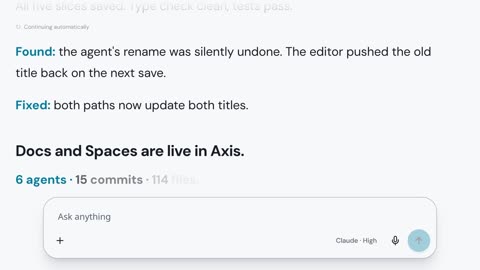 Hand off the big jobsType what you need in one sentence, the way you would brief a colleague. Axis researches, writes and builds it for you, and shows each step as it goes.
 A team of agentsGive Axis a big job with several parts and it starts a helper for each part, all working at the same time. You watch them in the sidebar under your chat, and when the last one finishes your chat gathers their results into one answer.
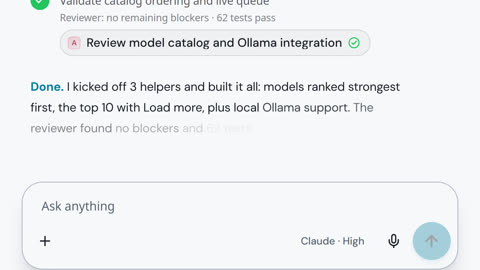 Automatic workflowsGive Axis a job with several parts and it lays out its own plan, stage by stage, then works through it while you watch each stage go green. Add something halfway and it slots in a new stage without stopping.
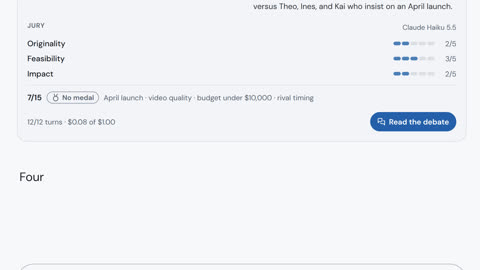 Second opinionsFor a hard question, Axis gathers a panel of AI experts, each running on a different model, and lets them argue it out. A moderator writes the verdict and a jury scores it, and the answer comes back to your chat.
Your own bots
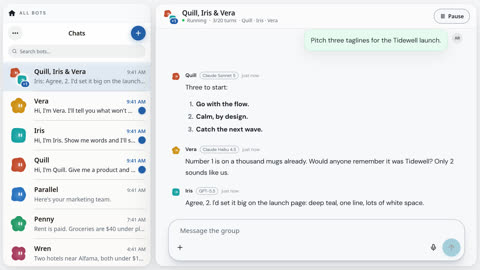 Your own team of botsAsk for the bots you need and Axis proposes each one with its own name, look and personality, and you keep the ones you like. Put them in a group chat and they talk it through, each in its own voice.
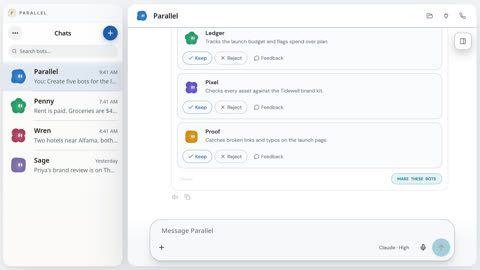 Ask your bot to run thingsAsk your project's bot where things stand and it answers with the latest, linking the work. Ask for a brief every morning or five new bots, and it sets them up for you.
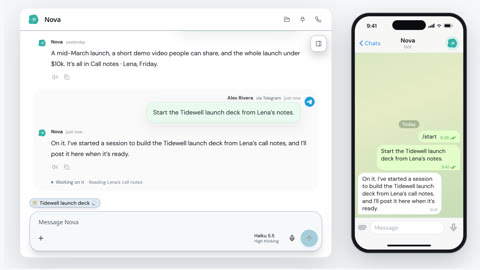 Text your bot from anywhereLink your bot to Slack, Telegram, Discord or WhatsApp once, then message it from your phone like anyone else. It starts the work in Axis and sends its answer straight back to that chat.
You stay in flow
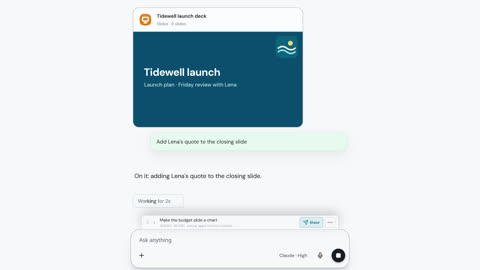 Keep talking while it worksYou never have to wait for Axis to finish: anything you type while it works lines up above the box, in the order you choose. If one can't wait, tap Steer and Axis takes it right away, mid-task.
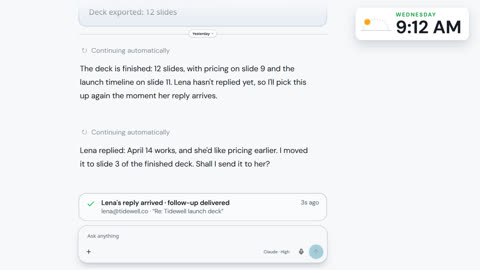 It waits, then carries onAsk Axis to carry on when someone replies to your email, when a helper finishes, or at a time you pick, and the chat waits for it. When that moment comes, the same chat wakes up on its own and picks the work back up.
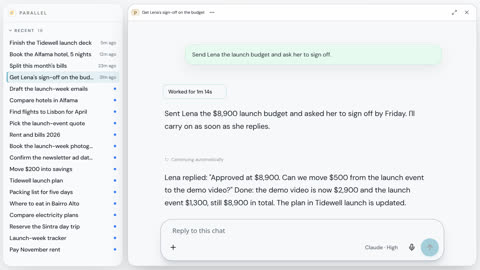 Catch up in a few swipesWhen chats finish while you are away, Axis stacks their results into a deck. Swipe through them like cards: mark each one seen or done, or open the whole chat.
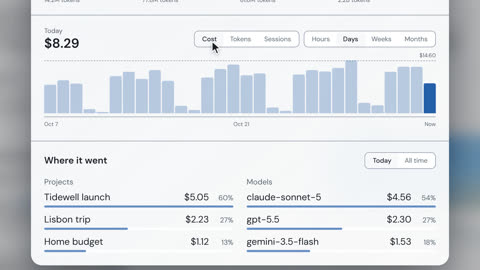 Know what happened, and what it costEach morning Home tells you what got done yesterday and what is waiting on you. Tap Cost to see exactly what your AI spent today, this week and all time, by project and by model.
Your world, organized
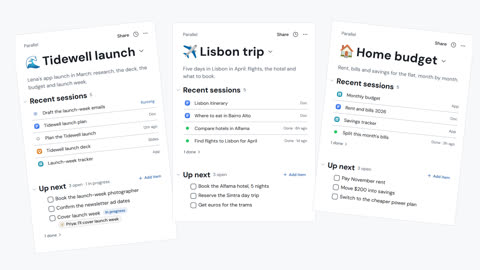 Everything finds its placeSpaces gather the chats, Docs and apps for one part of your work or life, like a client launch or a trip. Each one has a home page that shows where things stand and what is up next.
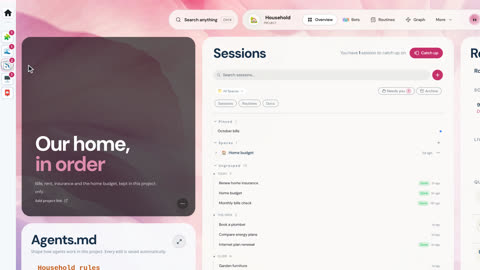 Every project, its own brainGive each part of your life its own project, like your business, a client or your home. Click one on the left and Axis becomes that project, with its own look, chats, rules, memory and skills.
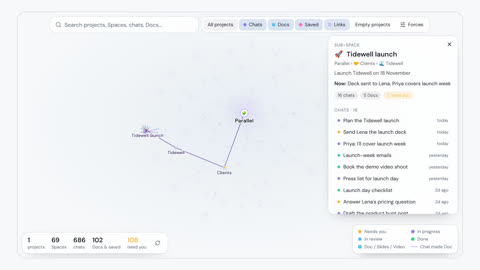 See how it all connectsEvery Space, chat and Doc in your project sits on one living map. Open it and watch your work grow into place, then tug any part to see what hangs off it.
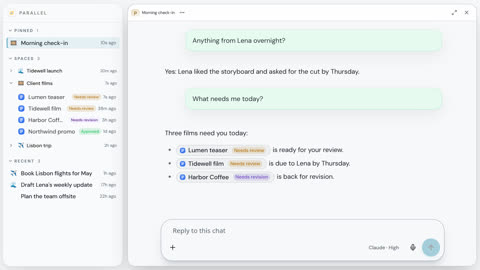 Turn work into a review pipelineMake your own types of work, like a film with a script, storyboard, cut and thumbnail, and your own statuses for them. Every part shows where it stands, and you can ask in chat what needs you.
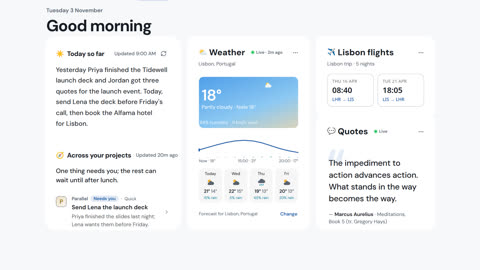 Your Home, your wayYour Home holds live panels, like the weather, your daily brief and what to do next. Add ready-made ones from Community, or ask for any panel in plain words and an agent builds it and keeps it current.
Make and share
 Make real thingsAsk once and Axis makes the real thing: a slide deck, a document, a design in every size you need, or a video. Each one opens in its own editor beside the chat, where you can change it yourself or ask for edits.
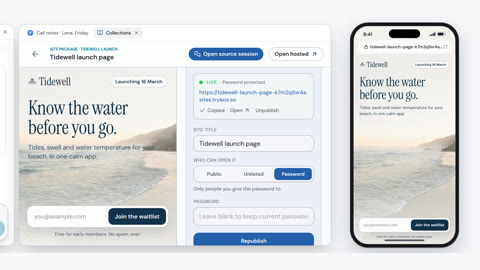 Build a site, share it in one clickAsk Axis for a website or a small app and it codes it for you, right beside the chat. Publish it in one click, add a password if you like, and send the link to anyone to open on their phone.
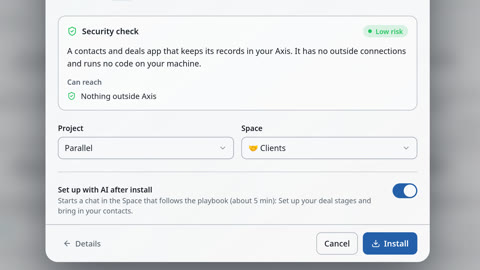 Share and install from CommunityInstall apps, Home panels, Doc types, Routines and agent skills other people built, after your own AI explains in plain words what each one can reach. Share yours just as easily, with a link in one click.
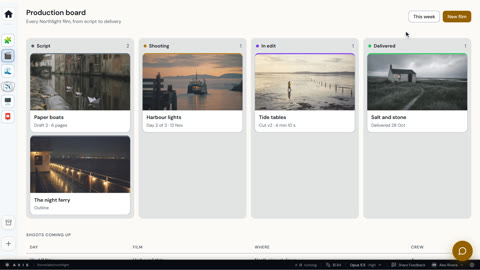 Make Axis your ownAsk for the setup you want, like a film studio, and Axis builds it: your own type with your own statuses, an app to run it and a look of its own. Every project and Space can be its own world.
Your tools, kept safe
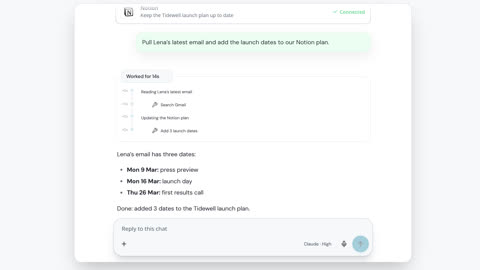 Bring the tools you already useConnect Gmail, Slack, Notion, GitHub, Stripe and more, once. From then on you just ask, and your agent reads from them and updates them for you.
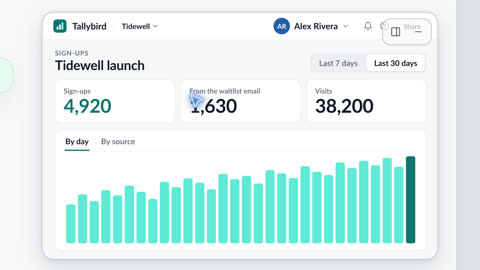 Your browser, already signed inConnect Axis for Chrome once, and an agent can work in your own browser, opening its own tabs on sites you are already signed in to. You watch its tab and every click from your chat while it works.
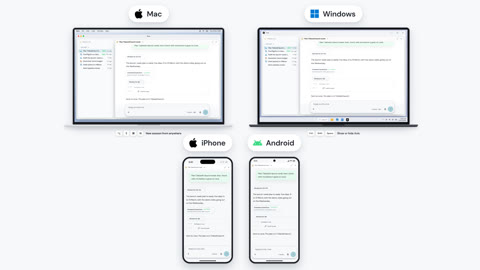 Open it anywhereUse Axis on your Mac, Windows PC, iPhone and Android phone, and pick up the same chat on any of them. Start work with a keyboard shortcut at your desk, and your phone tells you the moment it needs you, with a Live Activity and Lock Screen widgets on iPhone.
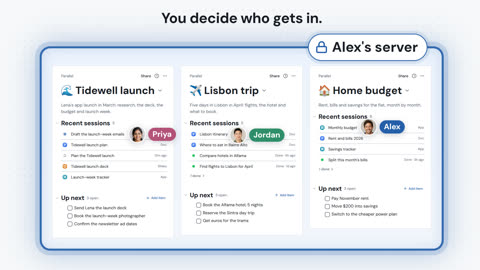 Private by defaultYour Axis is your own private space, and the people you invite are the only others who get in. Axis support can only look inside if they ask and you approve, and that access ends by itself.
New to Axis? Get started with Axis Cloud or self-host Axis first, then pick any video above.