Sites turns a finished static web experience into a live, shareable URL. Build and
validate the result in its owning session, keep it in Collections, then publish only
when the experience and audience are ready.
Guided mission
From request to live result
Creation, proof, and publication stay separate so a draft never becomes public by accident.
01
Create
Ask for a self-contained static site and the audience or outcome it should serve.
02
Review
Open the real result, test its states, and fix anything that is incomplete or unsafe.
03
Save
Keep the reviewable site in Collections with its source session and project attached.
04
Publish
Choose public or password-protected access and create the live URL.
05
Update
Revise the source, validate again, and republish the same saved site.
Axis Sites hosts static web output: HTML, CSS, JavaScript, images, fonts, and other
files a browser can load directly. That includes landing pages, reports, interactive
visualizations, prototypes, documentation, small tools, and browser-based demos.
A publishable site needs an index.html. When publishing a project build, Axis looks
for a finished output in dist, build, out, or public. Agent-created sites can
also keep their verified build output as a website item in Collections.
Sites is deliberately not a server runtime. It does not run application servers,
workers, private databases, background jobs, or arbitrary backend code for the site.
If the experience depends on those systems, publish the static frontend only after its
external services and security boundary are already designed and tested.
Concept boundary
Creating is not publishing
An agent may create and validate a site autonomously. Making it public is a separate external side effect and should happen only when you asked for that exact publication.
Describe the outcome rather than a file format. Include the audience, required
behavior, important source material, and the proof you expect.
Build a responsive launch brief for the team from the approved project notes. Include
an interactive timeline and a clear risks section. Test the real page on desktop and
mobile, then keep the finished site in Collections. Do not publish it yet.
For an existing project, ask the agent to build and verify the production output:
Prepare this project as a static site. Use the existing build system, verify the real
output in a browser, and save the finished site in Collections. Tell me if the project
requires a server or anything else Axis Sites cannot host.
The source session should remain the durable home for edits, decisions, and validation.
Collections keeps the finished output easy to reopen; it does not replace the source
project.
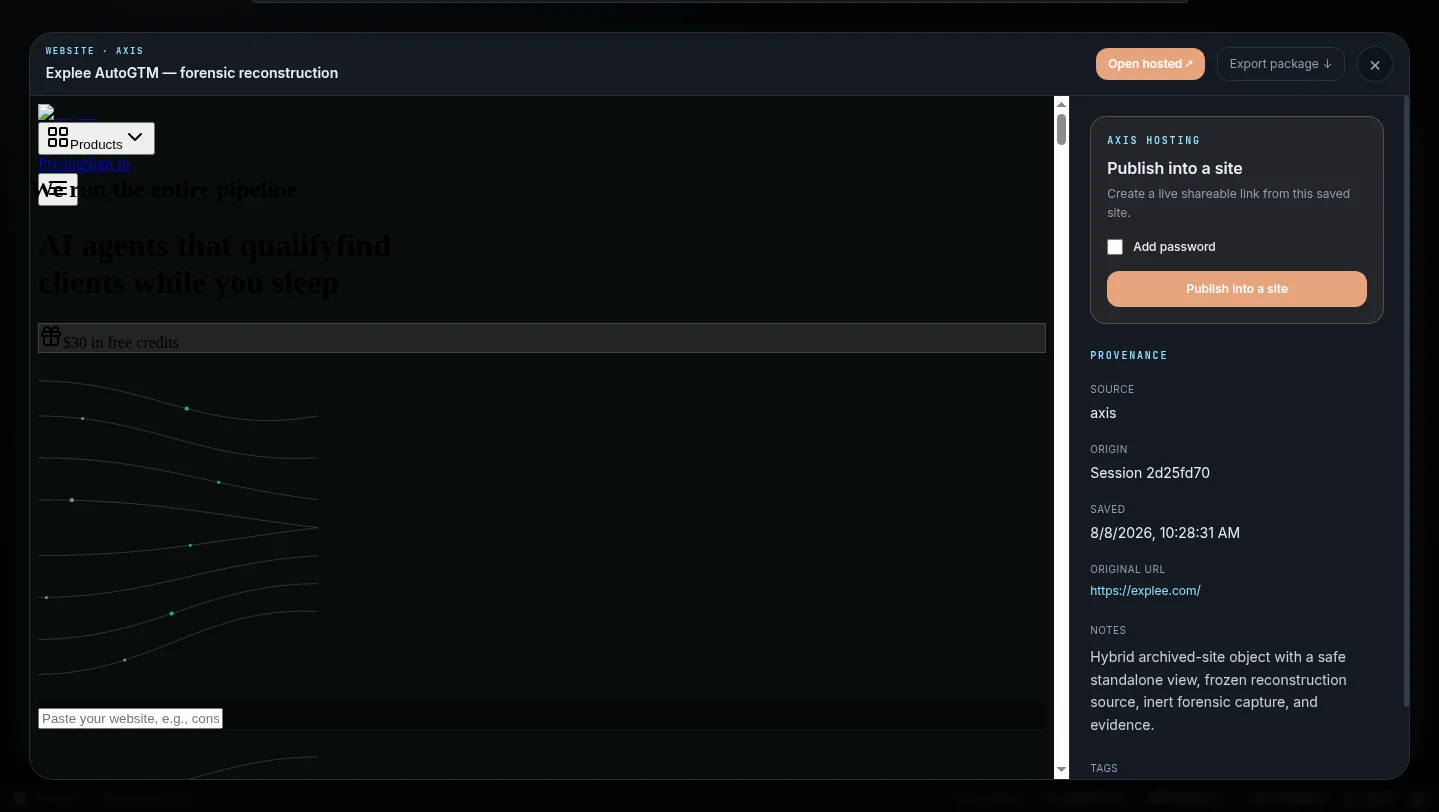
Open Collections, choose the saved website, and use the Axis hosting panel in
its detail view. Publishing remains attached to the selected result instead of creating
a second, disconnected project.
Proof sequence
Review the source, then the live result
These are real Axis product states from one published static site workflow.
Choose the saved site
The source item remains visible while you choose how to share it.
Publishing lives beside the saved site, its preview, and its provenance.
Open the hosted result
A live site is opened and inspected after publishing—not inferred from the publish response.
The final proof is the real hosted URL and working visitor experience.
Open the publishable website item in Collections.
Inspect its preview and source provenance.
Leave Add password off for a public site, or enable it for a protected review.
Select Publish into a site.
Wait for the live state and shareable URL.
Copy or open the URL and inspect the real hosted site.
Axis generates the hosted address. The current product does not expose custom-domain or
custom-URL controls.
Turn on Add password before publishing when the URL should be useful for a limited
review rather than open access. A new password must contain at least eight characters.
Visitors see an unlock screen before any site file is served.
A password is an access boundary, not a substitute for removing confidential material.
Anyone who receives both the URL and password can open the site. Do not publish secrets,
customer data, private source, or material that should never leave the project.
Revise the source through the session or project that owns it, rebuild the static output,
and repeat the browser review. Then return to the same Collection item and select
Save and republish.
Republishing updates the existing hosted site rather than requiring a new public link.
If the site is already password-protected, leaving the password field blank preserves
the current password; enter a new one only when you intend to replace it.
Always reopen the hosted URL after republishing. A successful request confirms that Axis
accepted the deployment, not that every route and asset renders correctly.
The current static package contract is intentionally bounded:
Resource
Current limit
Files per site
1,000
Total package size
15 MB
Largest individual file
8 MB
Axis rejects symlinks and files that resolve outside the verified site output. The
package must include index.html.
The current user interface does not provide site analytics, custom domains,
collaborative editing, dynamic storage, deployment history, rollback, or a user-facing
unpublish control. Do not plan a workflow around those capabilities until they appear
in the product and this guide changes.
Put this to work: Ask Axis to build and validate one static experience, save it in
Collections, and stop before publication so you can review the exact visitor result.