
Use Axis on your phone
Your phone is another window onto the same Axis, not a separate copy or a read-only status app. Open your Spaces, answer a question, approve a step, check a result or start something new, and find it all exactly the same on your computer later.
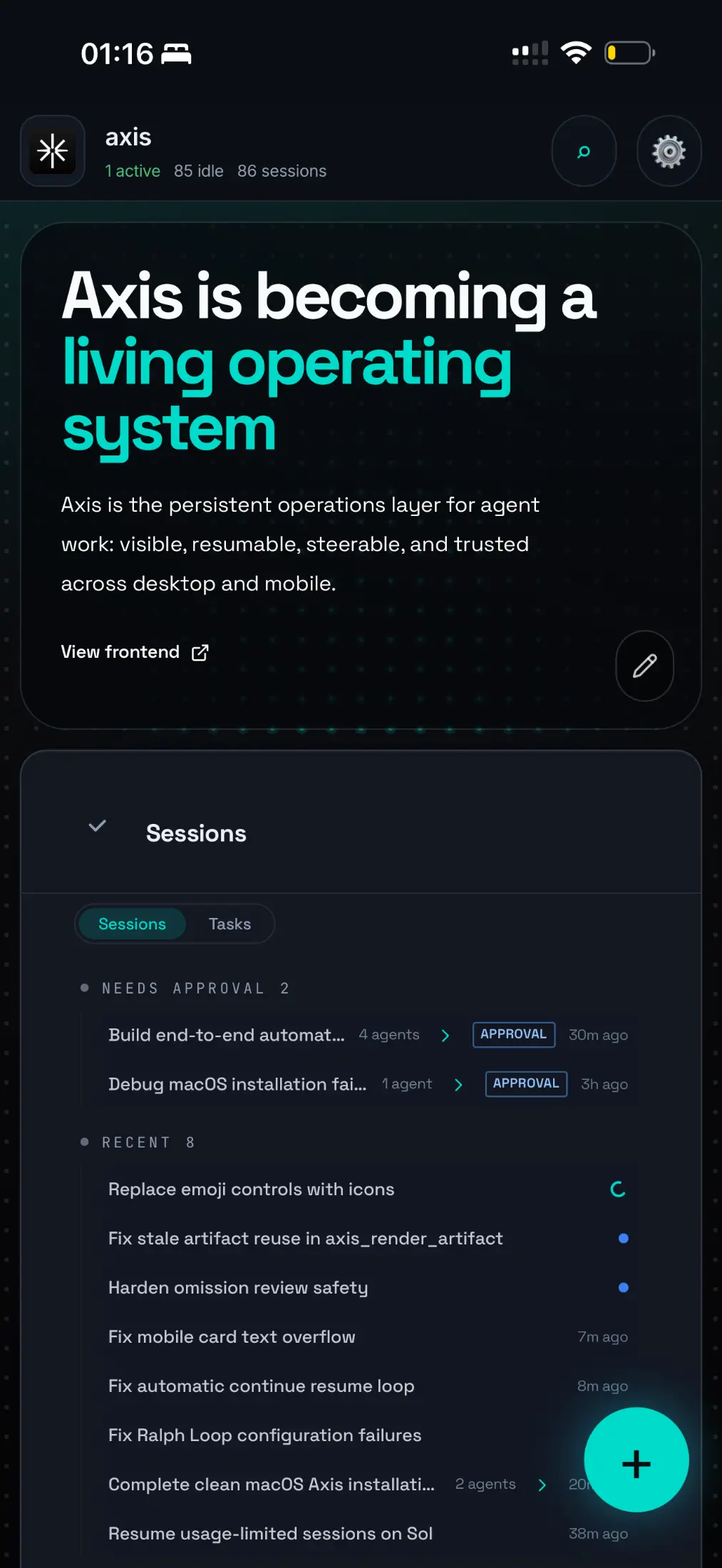
Real Axis UI with deliberately seeded, privacy-safe demonstration content.
Open it
Section titled “Open it”- Axis Cloud: open
https://<your-name>.cloud.tryaxis.soin your phone’s browser and sign in with your Axis account. Use “Add to Home Screen” to open it like an app. Nothing else to set up. - Self-hosted: connect your phone to your private network and pair it with your node. See Remote access.
What phones are good for
Section titled “What phones are good for”- Decisions. Answer an Ask or approve a step from the Inbox or a Space’s Needs you list, so agents are not left waiting until you are back at your desk.
- Quick requests. Start a chat in the right Space by typing or by voice.
- Checking in. Read a Space’s brief, look at Up next, open a Doc or a published link.
- Taking over. When a browser step needs a human, such as a login or a two-factor code, you can step in from the phone.
Work keeps going without you
Section titled “Work keeps going without you”With Axis Cloud, agents, Routines and long jobs run on your server, so locking your phone or closing your laptop does not stop anything. On a self-hosted install, the host machine has to stay on and connected for work to continue.
Mission: one device handoff
Section titled “Mission: one device handoff”- Open a real Space on your phone.
- Open a chat and look at its latest result.
- Answer one question or queue one follow-up.
- Open the same chat on your computer and confirm your answer is there, in the same thread.
Do not share screenshots that show private project data, server addresses or pairing codes.