
Turn repeated prompts into Routines
A Routine is a reusable workflow whose scheduled, event-triggered, or manual runs create or resume real Axis sessions. Each run remains inspectable instead of disappearing behind a prompt timer.
Automate only a stable job
Section titled “Automate only a stable job”Use a Routine when the job repeats with a stable outcome and evidence standard: a daily digest, weekly reconciliation, recurring health check, or supported event response. Use an ordinary session when the request changes every time.
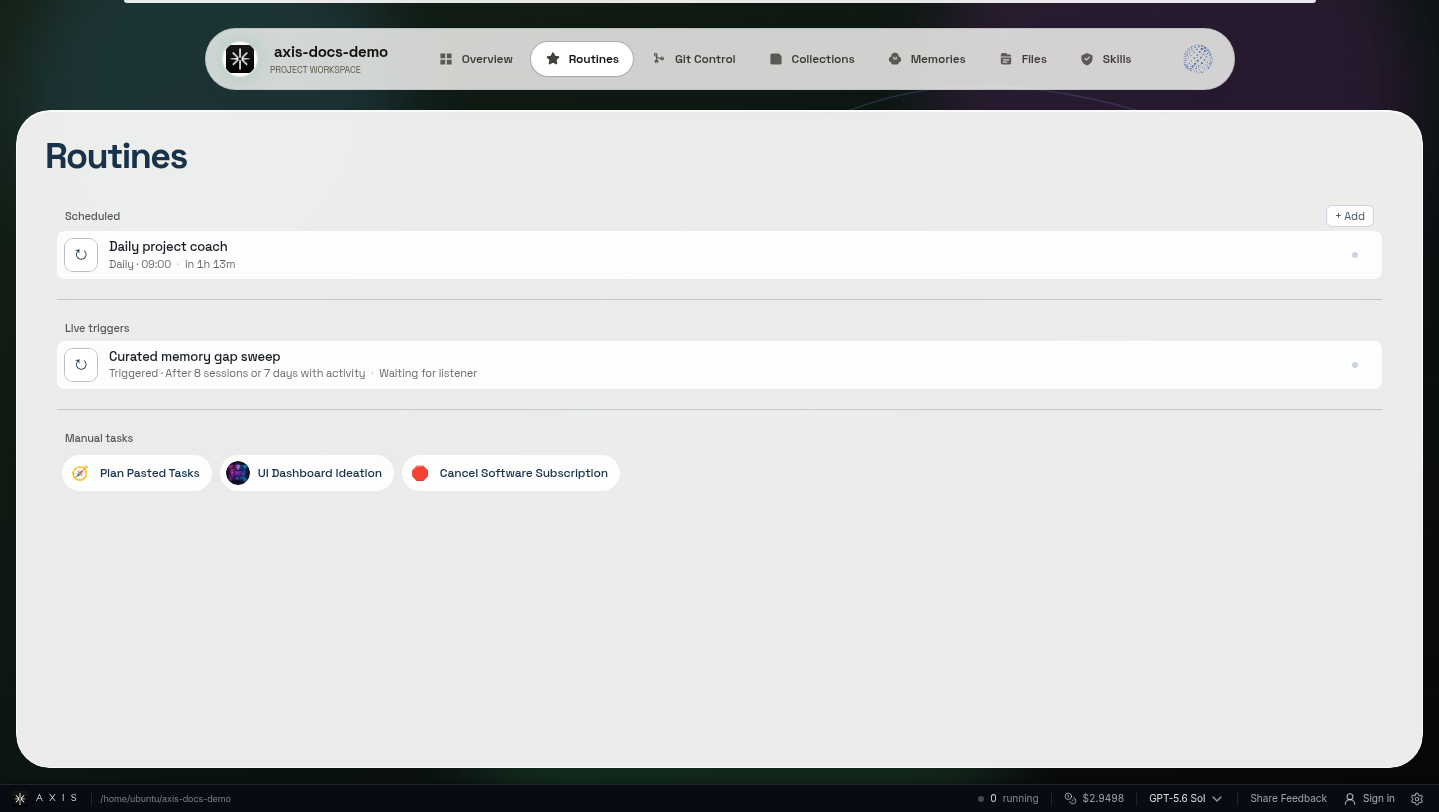
Activation is part of the workflow record; every run still becomes session-owned work.
What a Routine adds
Section titled “What a Routine adds”- Reliable repetition. The workflow runs from one durable recipe and activation policy.
- Inspectable history. Every run keeps status, evidence, and its owning session.
- Human authority. Consequential side effects can pause at Needs approval.
Mission: create one repeatable workflow
Section titled “Mission: create one repeatable workflow”- Name the outcome and the project context each run should inspect.
- Choose a supported schedule, event trigger, or manual activation.
- Write the full job, including changes since the last successful run when relevant.
- State the evidence expected and the side effects that require approval.
- Run it twice and compare the two session records.
Keep runs visible and reviewable
Section titled “Keep runs visible and reviewable”A Routine is not a hidden timer and does not make every step unattended. Event-triggered Routines are real, but the installed build is authoritative for supported event sources; there is no promise of a universal trigger builder. For one future instruction aimed at one exact session, use a scheduled check-in instead.
Related references
Section titled “Related references”Put this to work: Choose the truthful activation for your next recurring job.