
FAQ
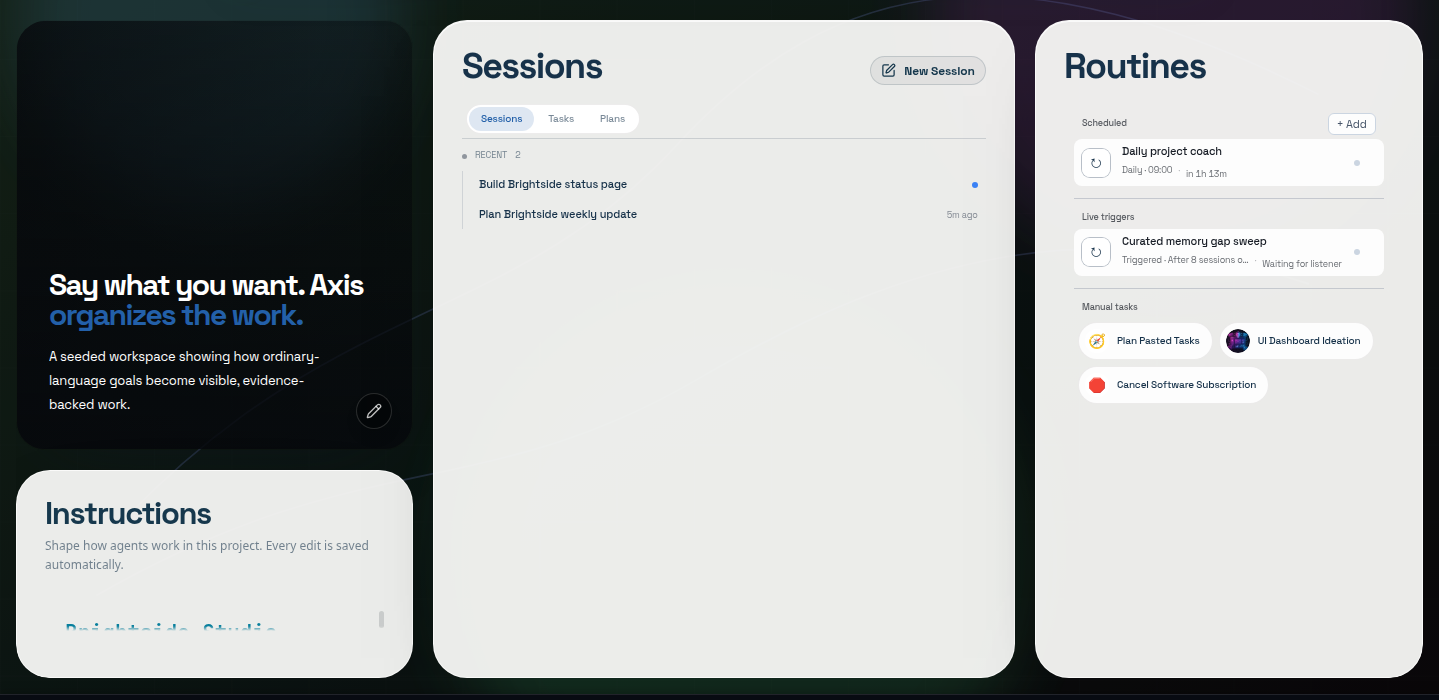
Real Axis UI with deliberately seeded, privacy-safe demonstration content.
What is Axis in one sentence?
Section titled “What is Axis in one sentence?”Axis is one place to run your business, your team and your personal life with AI agents, on your own secure server that you can use from any device.
What is Axis Cloud?
Section titled “What is Axis Cloud?”Your own dedicated Axis server, live in about 30 seconds after you pay. You use it from any browser, phone or computer by signing in with your Axis account, or from Claude and ChatGPT through a connector. There is nothing to install and no network to set up. See Get started with Axis Cloud.
Do I need Tailscale or the Mac app?
Section titled “Do I need Tailscale or the Mac app?”Not for Axis Cloud. You sign in through the Axis sign-in page from any browser. Tailscale is only used if you choose to self-host Axis on your own machine and want to reach it from other devices, and the Mac app is optional either way.
Do I need to learn prompt engineering?
Section titled “Do I need to learn prompt engineering?”No. State the outcome or problem in ordinary language. Axis supplies available project rules, context, memory, tools, planning, and evidence around the request. Important ambiguity may still require your judgment, and no harness guarantees a perfect result from every vague request.
Does my code leave my machine?
Section titled “Does my code leave my machine?”Your project files and Axis’s record of your projects and chats stay on your Axis server (your Axis Cloud server, or your own machine if you self-host) unless you or an authorized workflow move them. A model provider receives the prompt and selected context sent for each request, directly from your server. Connected tools and external systems receive the data needed for the actions you authorize. See Security and data.
Use providers and scopes appropriate to the work. Do not put secrets in prompts, AGENTS.md, screenshots, or project files.
Do I need a separate Axis model subscription?
Section titled “Do I need a separate Axis model subscription?”No. You bring your own: sign in with a subscription you already have, such as Claude Pro or Max or ChatGPT Plus or Pro, or paste an API key from almost any provider. Usage is billed by that provider under your own account, and you can switch at any time. See Model providers.
What happens if I close the laptop?
Section titled “What happens if I close the laptop?”With Axis Cloud, nothing stops: your agents and Routines run on your server, not on your laptop.
If you self-host, closing a tab or disconnecting a device does not erase anything, but work only continues while the host machine stays powered, awake and connected. Sleeping or shutting down the host pauses work until it is available again.
Can I use a phone or tablet?
Section titled “Can I use a phone or tablet?”Yes. Open your Axis Cloud address in your phone’s browser and sign in. You get the same Spaces, chats and approvals as on your computer. Self-hosted installs reach phones through your own private network. See Use Axis on your phone.
Can my team use the same server?
Section titled “Can my team use the same server?”An Axis server is built to be one shared place for a team’s work. Today a Cloud server admits the Axis account that owns it; teammate invitations are not in the app yet. See Teams on one server.
What happens to my data if I cancel?
Section titled “What happens to my data if I cancel?”We email you a full export. The server stops at the end of your paid period (or 48 hours after a failed payment), and we keep a private copy for 14 days so you can come back. After that, the server, its copy and its backups are deleted. See Security and data.
What is AGENTS.md?
Section titled “What is AGENTS.md?”It is the project’s working agreement: stable rules for how agents should work there. Memory stores learned knowledge; a Space’s Up next list stores what is still to do; source files and connected systems remain authoritative for current state.
How is Memory different from Up next?
Section titled “How is Memory different from Up next?”Memory answers what have we learned? A Space’s Up next list answers what are we still trying to complete? Do not store current to-dos as memory, or durable lessons only inside a checklist.
What happened to Plans?
Section titled “What happened to Plans?”Plans were replaced by Spaces. Each Space has a home page with its vision and goal, and an Up next list. Existing Plans were converted into Space lists and archived.
Will an agent do something destructive or public without asking?
Section titled “Will an agent do something destructive or public without asking?”The working agreement and product gates should require approval for consequential actions such as deletion, sending, publishing, deployment, purchase, force push, or permission change. Approving authorizes only the exact action and scope described. Review the gate; do not treat it as blanket permission.
Can I interrupt or redirect active work?
Section titled “Can I interrupt or redirect active work?”Yes. A normal follow-up during active work enters the steering queue. Stop the turn when
the goal or risk boundary is wrong; use an empty-composer Enter only when you intend
to steer the oldest queued instruction immediately.
Why use sub-agents?
Section titled “Why use sub-agents?”Use them when one goal splits into independent slices. The parent supplies shared context, prevents ownership collisions, integrates evidence, and converges the branches into one result. Large but sequential work should stay sequential.
What are Routines?
Section titled “What are Routines?”Routines are reusable workflows. Scheduled, manual, or supported event-triggered runs should remain visible as real sessions with history, evidence, capacity controls, and the same approval boundaries as interactive work.
What are Collections?
Section titled “What are Collections?”Collections is the home for saved material: images, links, sites, files and agent answers you chose to keep. Saved items can be filed into Spaces, and All items shows everything in a project in one library. Small results can stay inline in the chat.
Can I share what I make?
Section titled “Can I share what I make?”Yes. Docs, decks, files and whole websites can be published as a link with an optional password. See Sites and sharing.
What is Rendered versus Raw?
Section titled “What is Rendered versus Raw?”Rendered is the human conversation surface with Working folds, plans, gates, and evidence. Raw is the exact agent terminal surface for diagnosis. They are views of the same session, not separate agents.
Can I script Axis?
Section titled “Can I script Axis?”Current builds include an axis CLI with machine-readable output for supported commands.
Run axis --help on the installed version and verify destination state after any write.
Where do I start when something fails?
Section titled “Where do I start when something fails?”Preserve the exact session and project identity, use read-only health/status checks, and follow Troubleshooting. Avoid deleting local state, restarting the terminal service, or creating replacement sessions until you know which layer failed.