
Text your bot from anywhere
Link your bot to Slack, Telegram, Discord or WhatsApp once, then message it from your phone like anyone else. It starts the work in Axis and sends its answer straight back to that chat.
- Where
- Bots → a bot → the plug button
- You'll need
- Axis Cloud, or a self-hosted Axis whose owner has switched channels on, and an account on the chat app
- Works on
- Set up on web or desktop, then message from any phone
What you’ll see
Section titled “What you’ll see”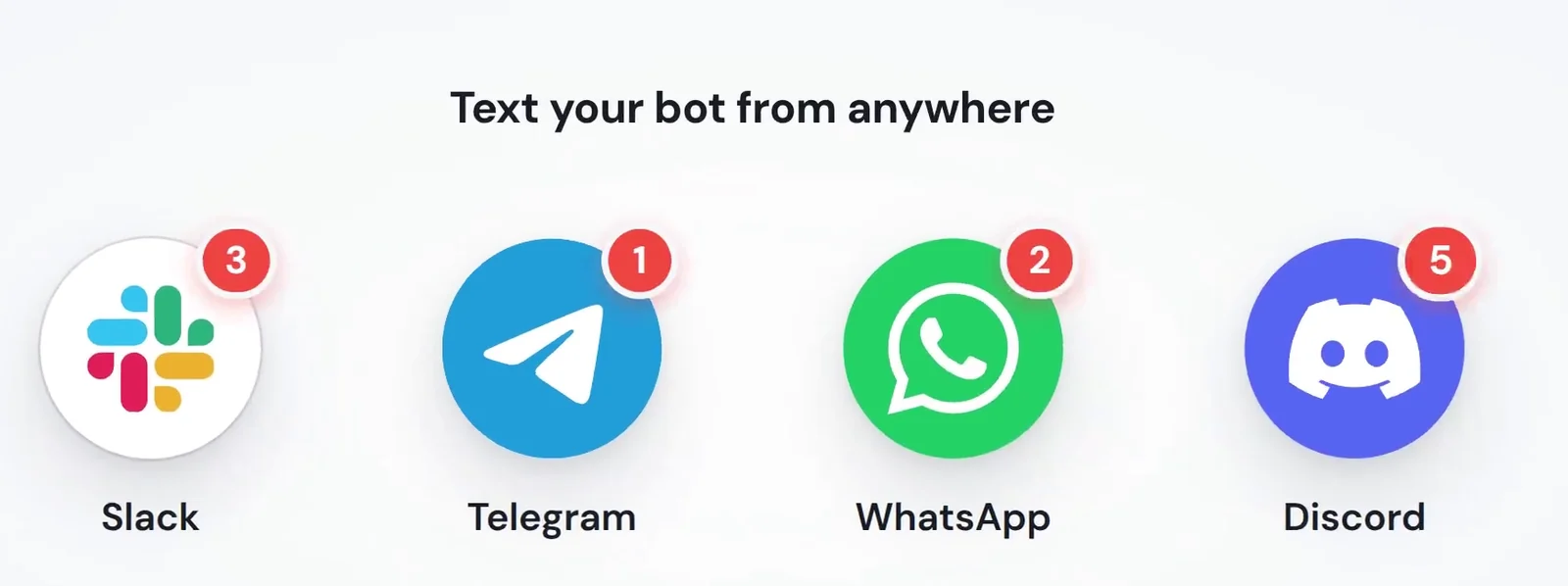 Four chat appsA bot can be reached from Slack, Telegram, WhatsApp and Discord. You can link one or all of them. (Picture from the video.)Each is a row in the Connect window
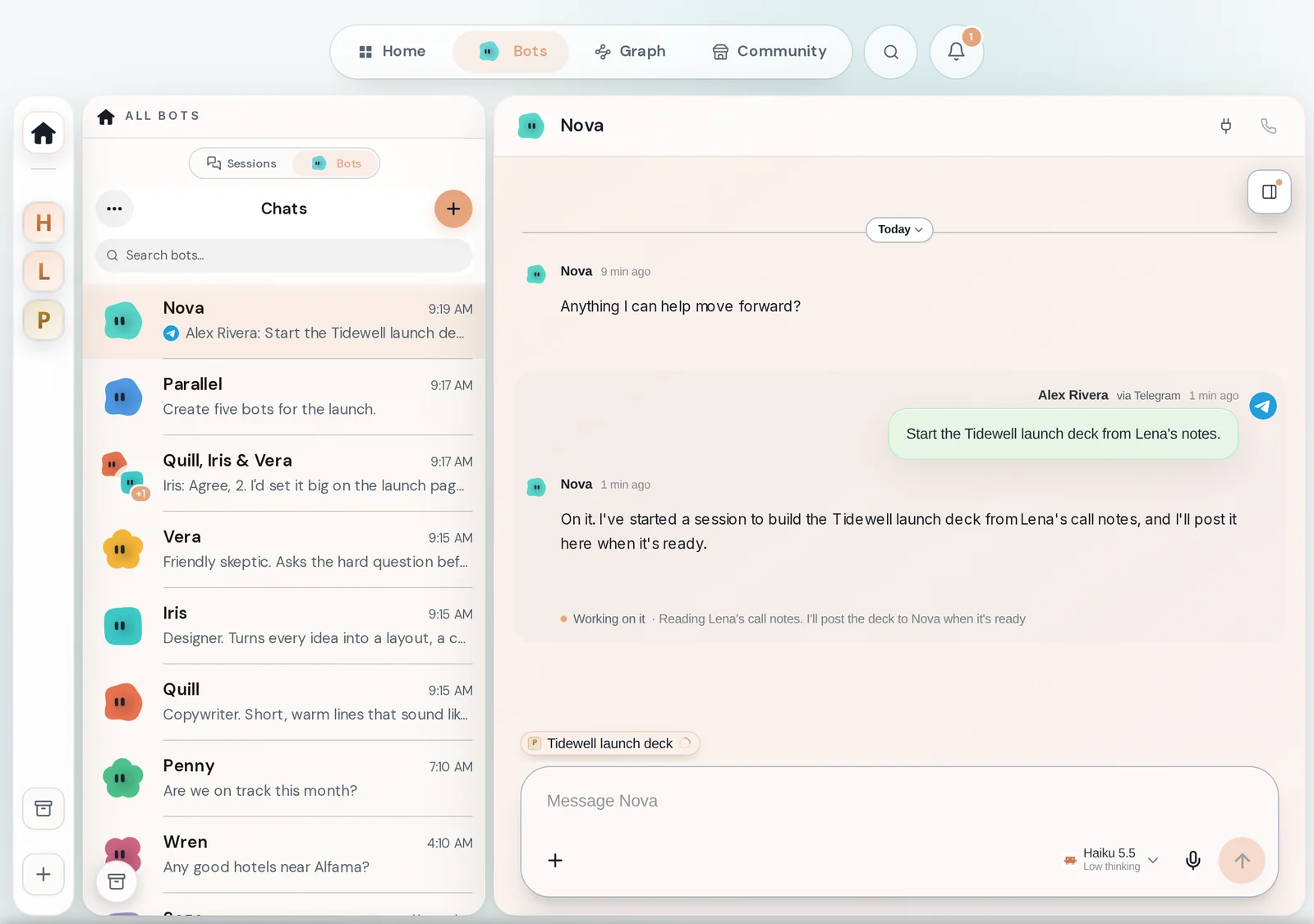
 Plug buttonOpens the Connect window for this bot.Top right of a bot's chat
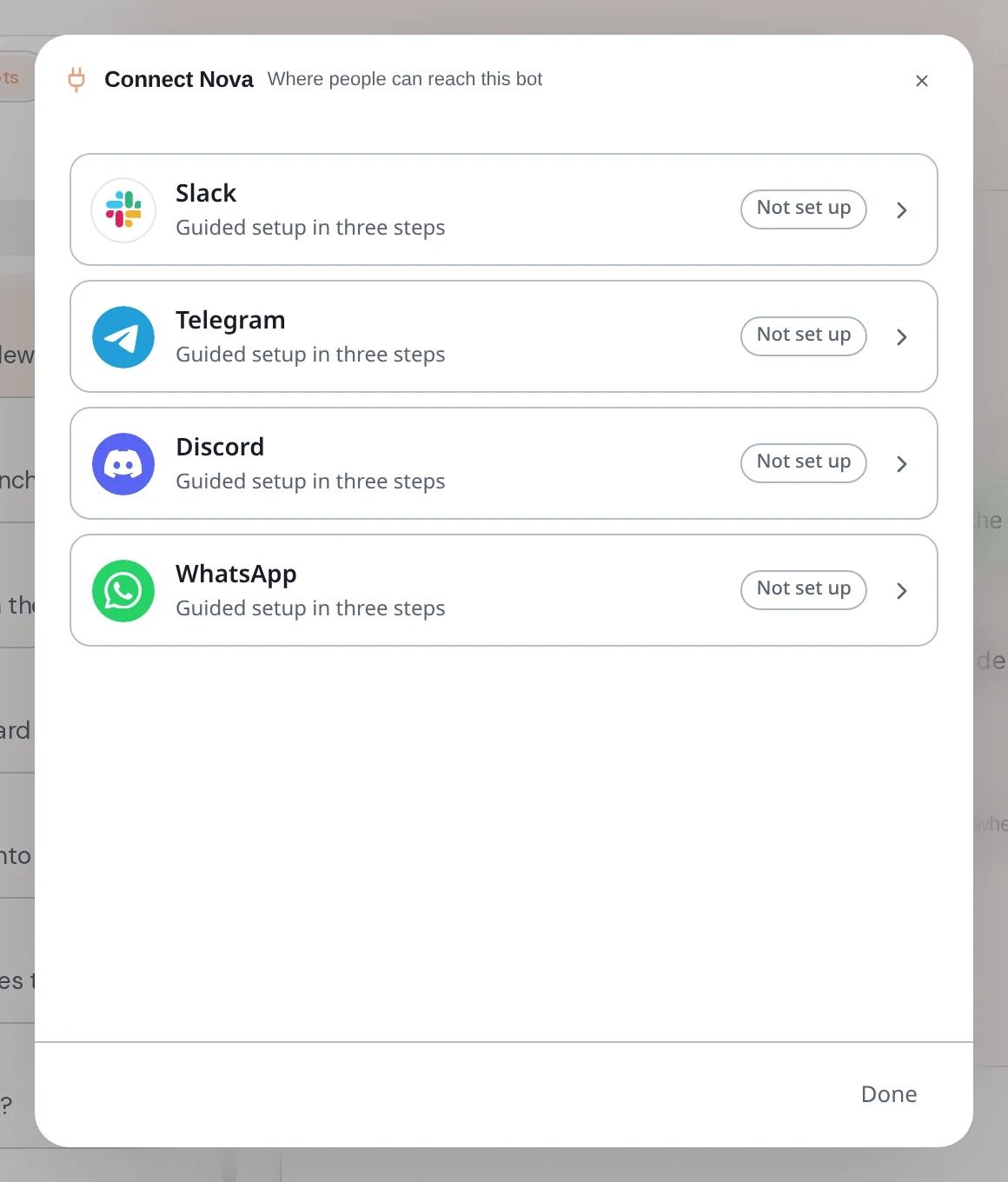 Connect windowShows where people can reach this bot. Each channel says Not set up, Set up, not linked to this bot or Linked.Opens from the plug button
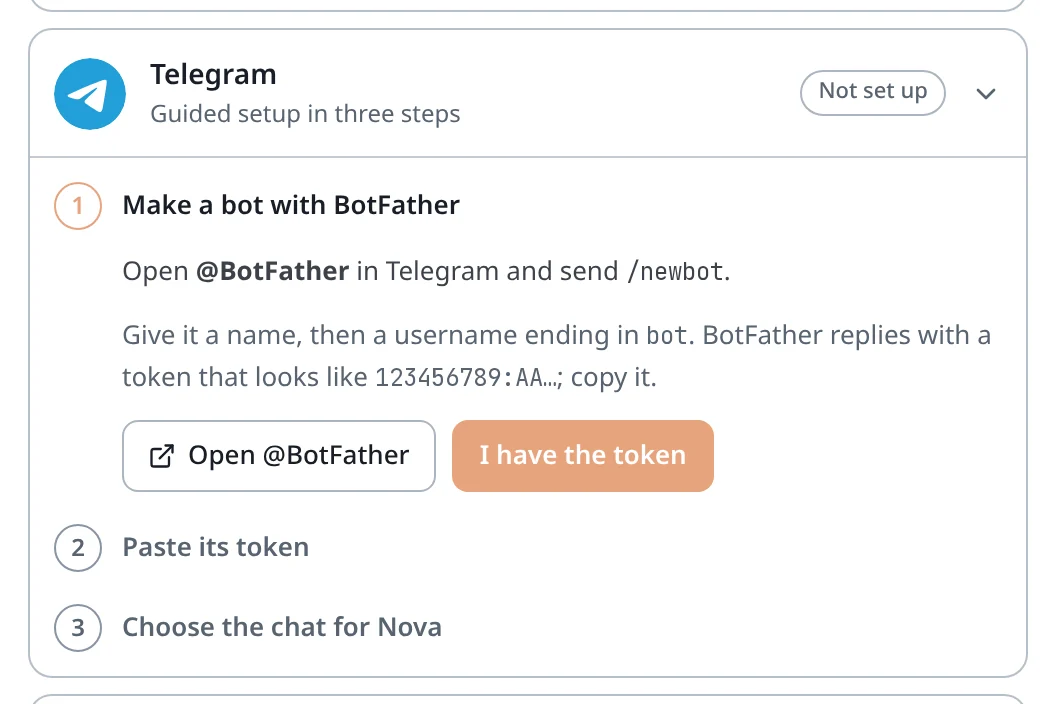 Guided setupClick a channel to open its setup. Every channel takes three steps, and Axis walks you through each one.Inside the Connect window
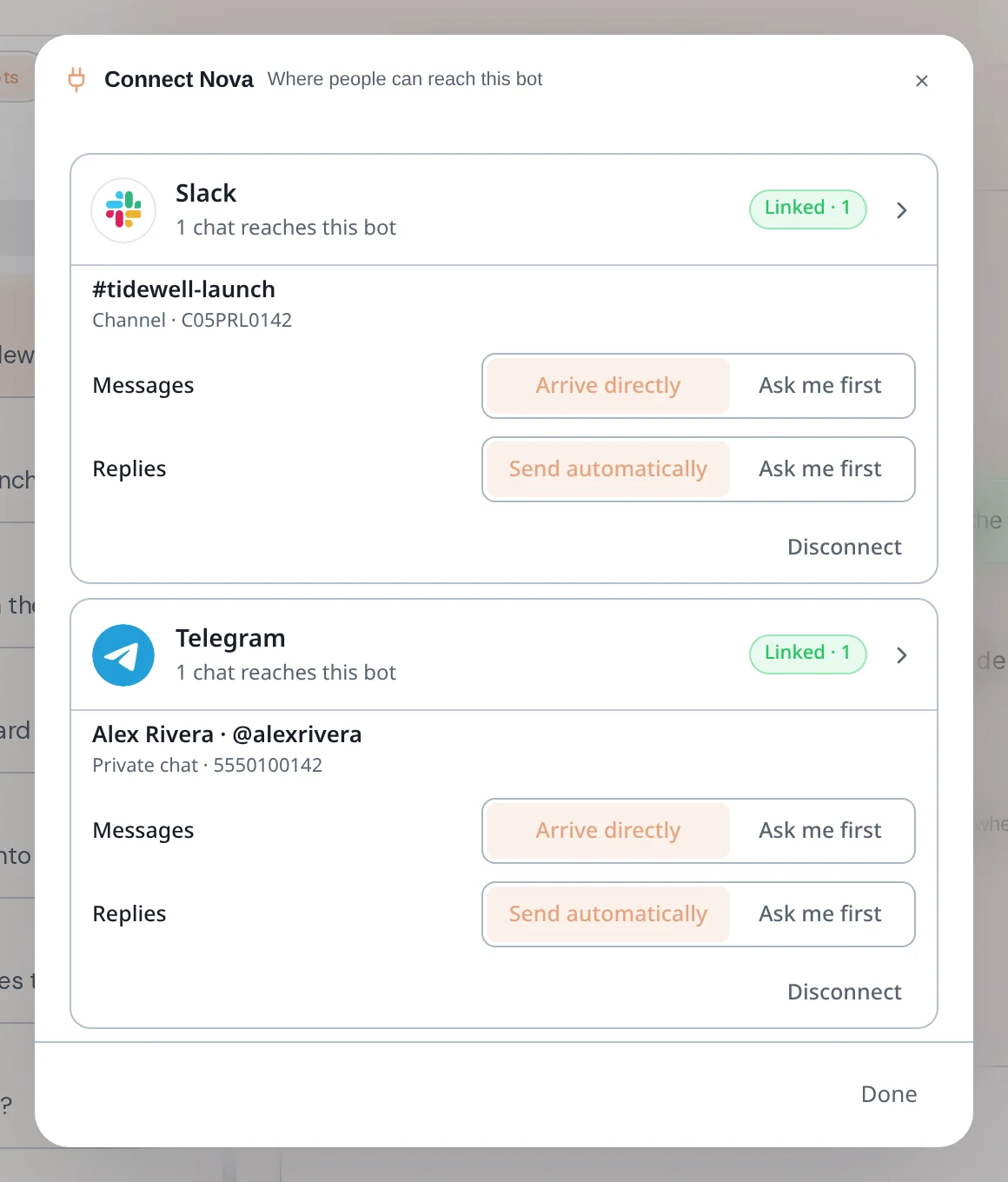
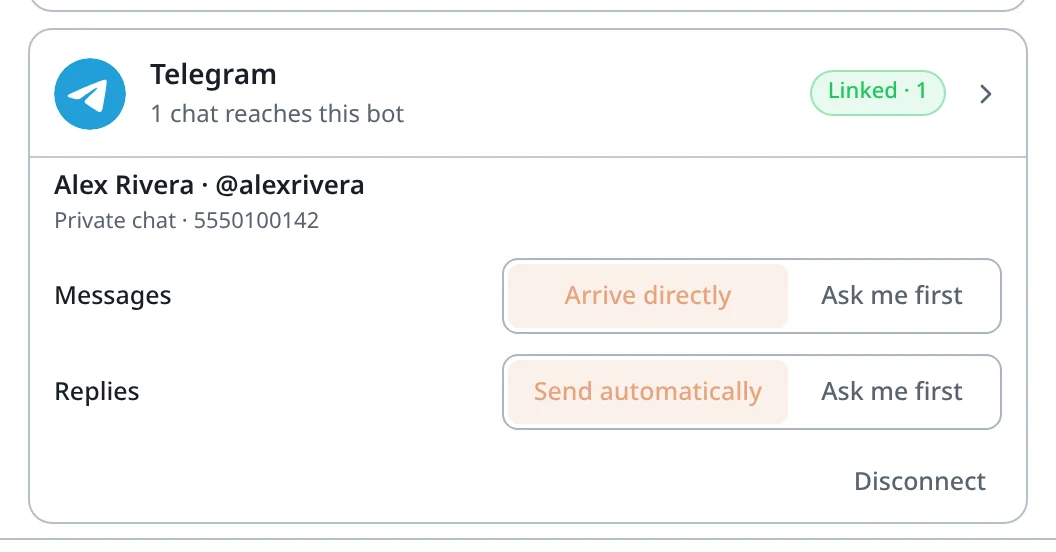 Linked chat settingsFor each linked chat you choose how Messages come in (Arrive directly or Ask me first) and how Replies go out (Send automatically or Ask me first). Disconnect stops that chat reaching the bot.Under a linked channel in the Connect window
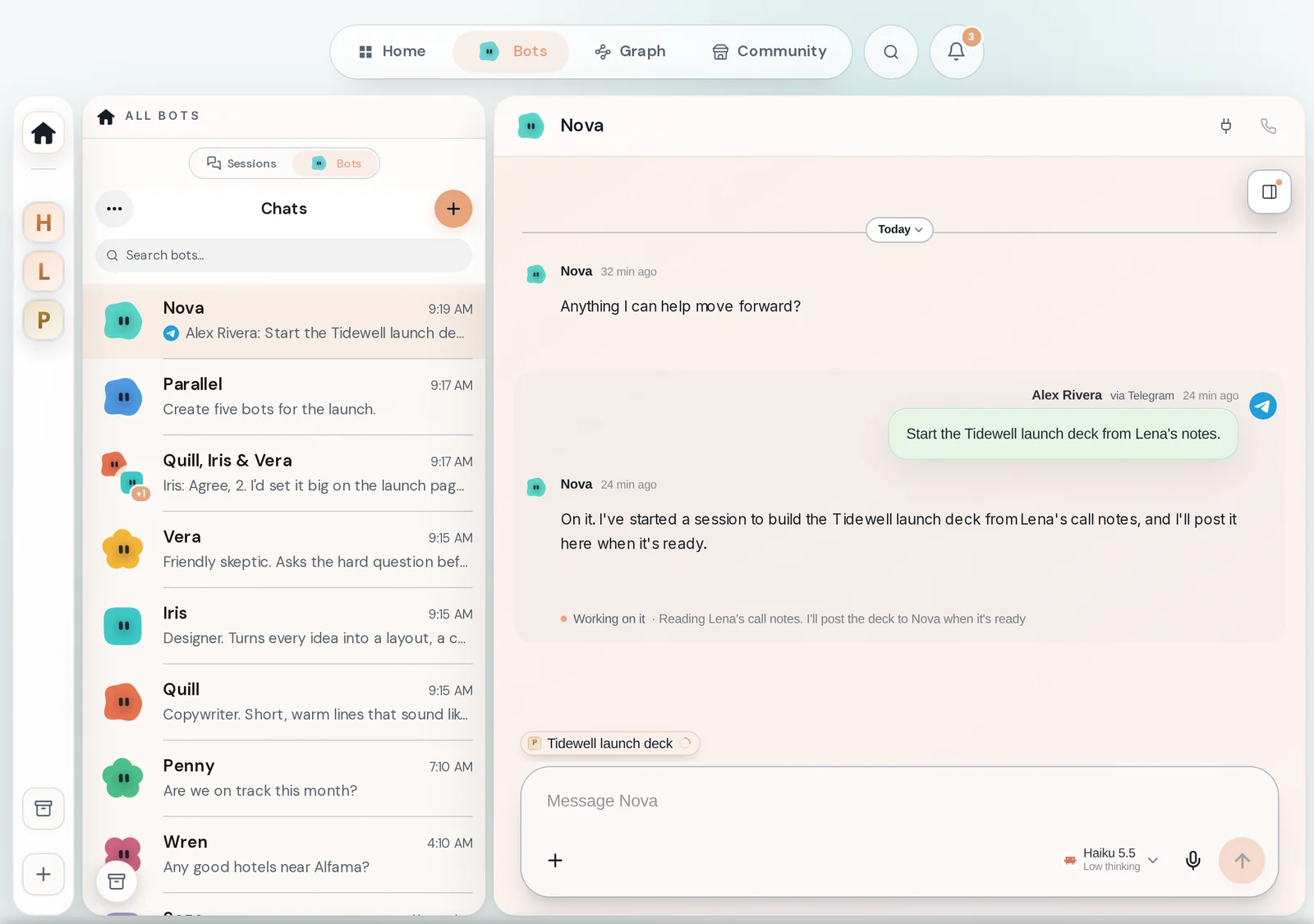
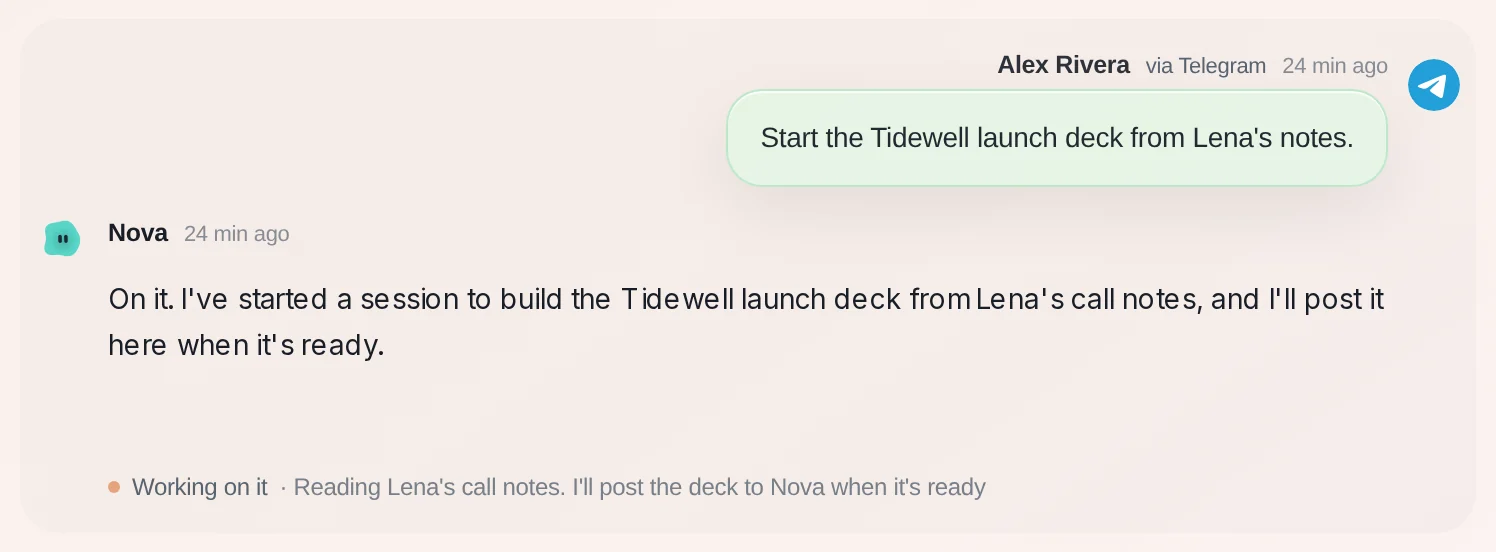 A message from a chat appMessages sent from a chat app land in the bot's chat with your name, the app's name and its mark, so you can tell them from messages typed in Axis.In the bot's chat
 The work it startedWhen the bot starts work, the chat doing it appears as a pill above the message box. Click it to watch.Above the message box
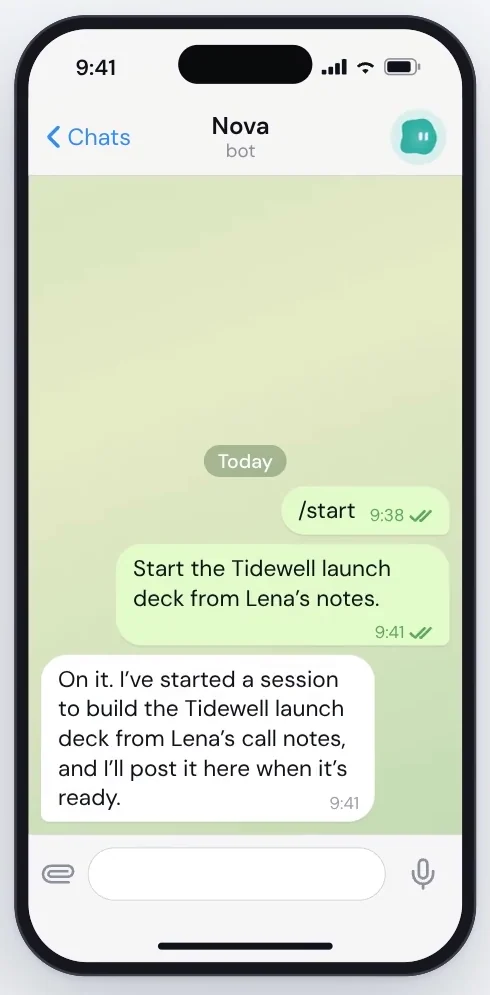 On your phoneIn the chat app it looks like any other conversation. You send a message and the bot's answer comes back to the same chat. (Picture from the video.)In Slack, Telegram, WhatsApp or Discord
How to do it
Section titled “How to do it”Step 1: Open the bot and press the plug
Go to Bots, open the bot you want to reach, and press the plug button at the top right. The Connect window opens.
Step 2: Pick a channel and follow its steps
Click a channel. For Telegram: open @BotFather in Telegram, send /newbot, and copy the token it gives you. Press I have the token, paste it in step 2 and press Save token, then Check with Telegram.
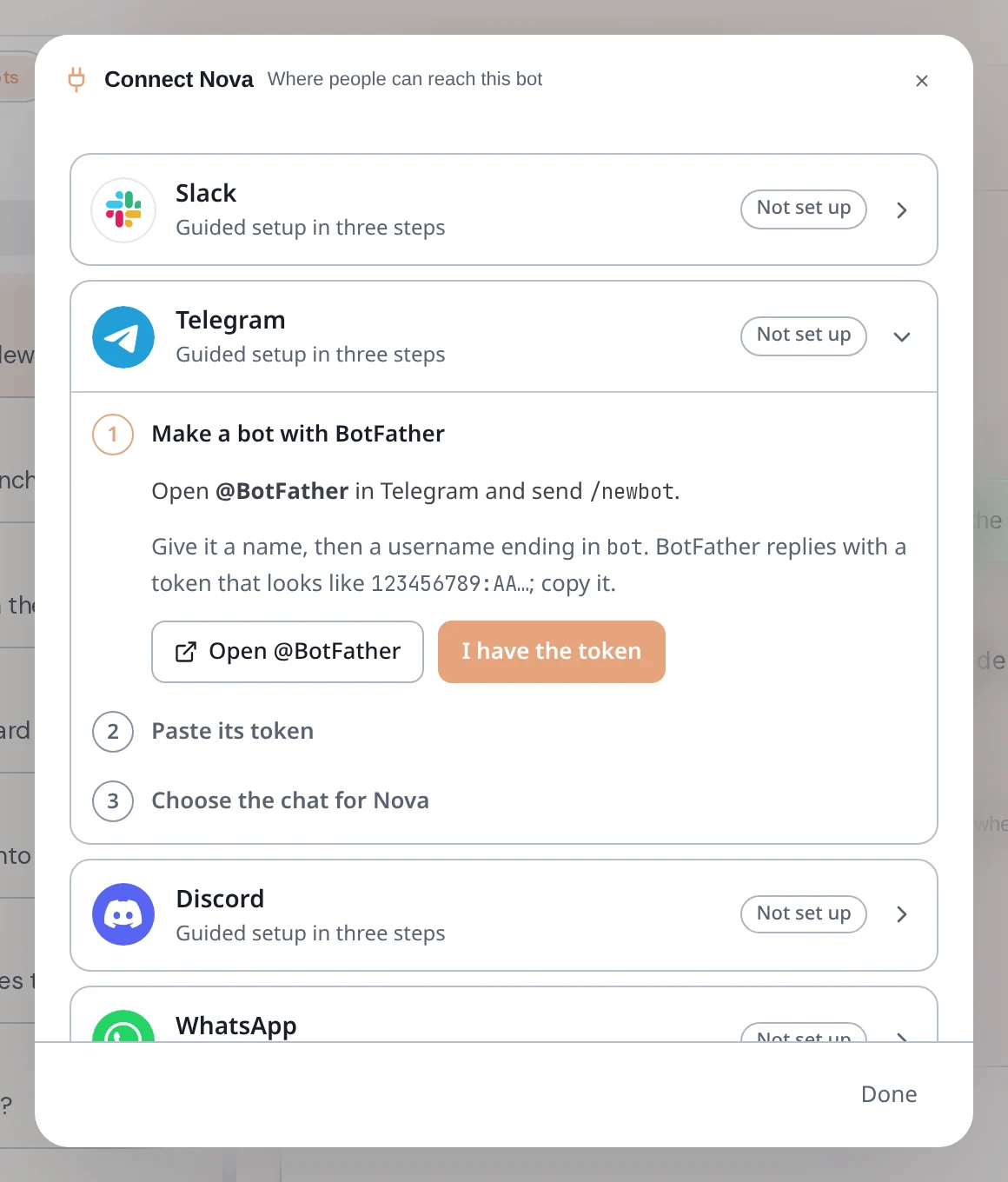
Slack, Discord and WhatsApp work the same way, each with its own three steps.
Step 3: Choose the chat
In step 3, send /start to your new Telegram bot from your phone. Back in Axis press Find my chat, pick your chat and press Ask to connect, then Approve and link.
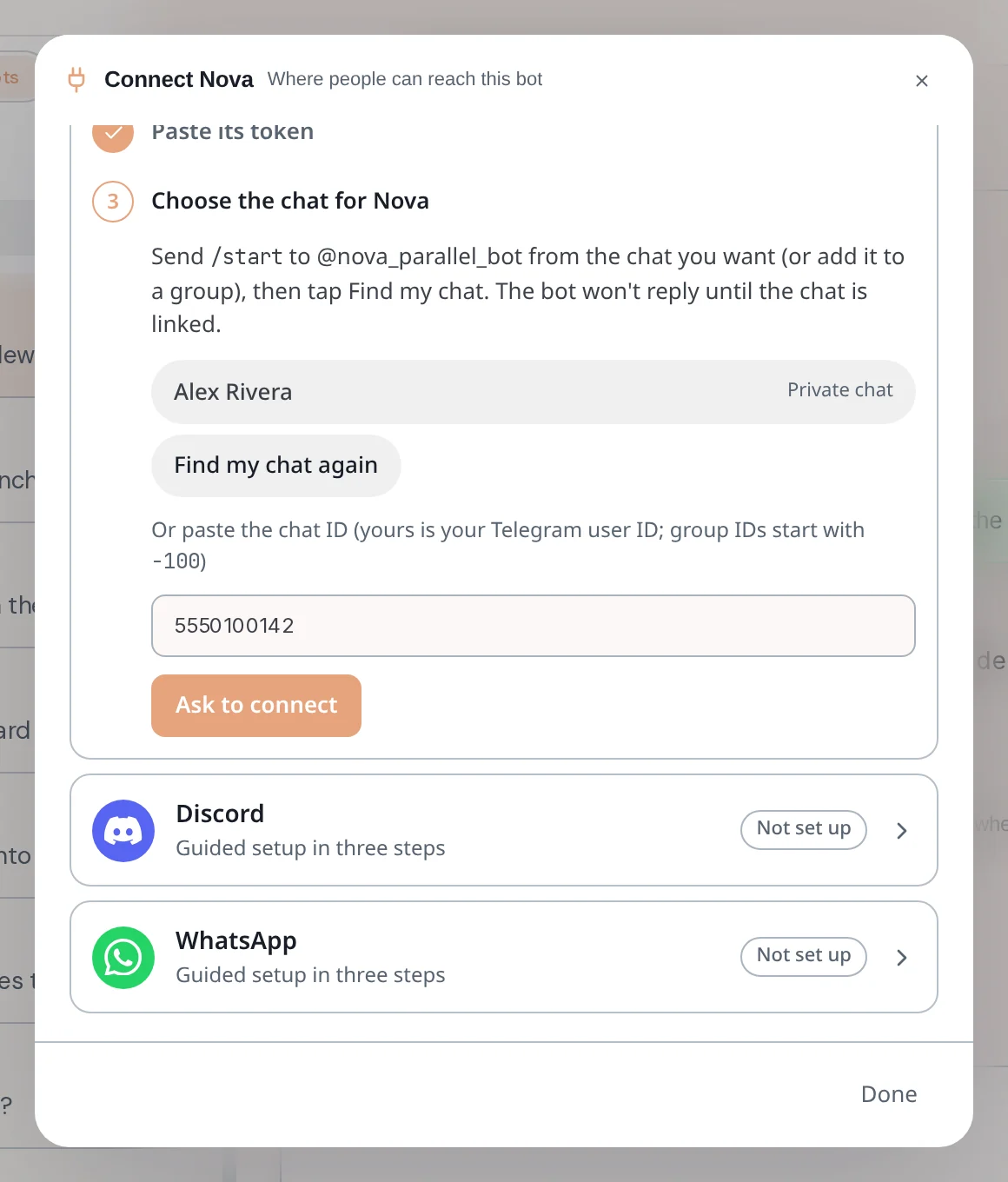
The bot does not answer in that chat until the chat is linked.
Step 4: Decide how it behaves
The channel now reads Linked. A private chat starts with messages arriving directly and replies sending automatically. A group starts on Ask me first. Change either under the linked chat.
Step 5: Text your bot
Message the bot from your phone, for example "Start the Tidewell launch deck from Lena's notes." The message lands in the bot's chat in Axis, the bot starts the work, and its answer goes back to your phone.
- The other channels in short. Slack: create the Slack app, add its two tokens, choose the conversation. Discord: make a bot in Discord, paste its token and add it to a server, choose the chat. WhatsApp: use a spare WhatsApp number, link Axis to that number, choose the chat.
- If the Connect window says “Channels are off on this Axis”, nothing is sent or received yet. Channels are on for Axis Cloud. On a self-hosted Axis the owner switches them on.
- Use Ask me first for groups, so nothing reaches the bot or goes out without your OK.