
Automatic workflows
Give Axis a job with several parts and it lays out its own plan, stage by stage, then works through it while you watch each stage go green. Add something halfway and it slots in a new stage without stopping.
- Where
- Any chat
- You'll need
- Nothing extra
- Works on
- Web, Mac, Windows, iPhone, Android
What you’ll see
Section titled “What you’ll see”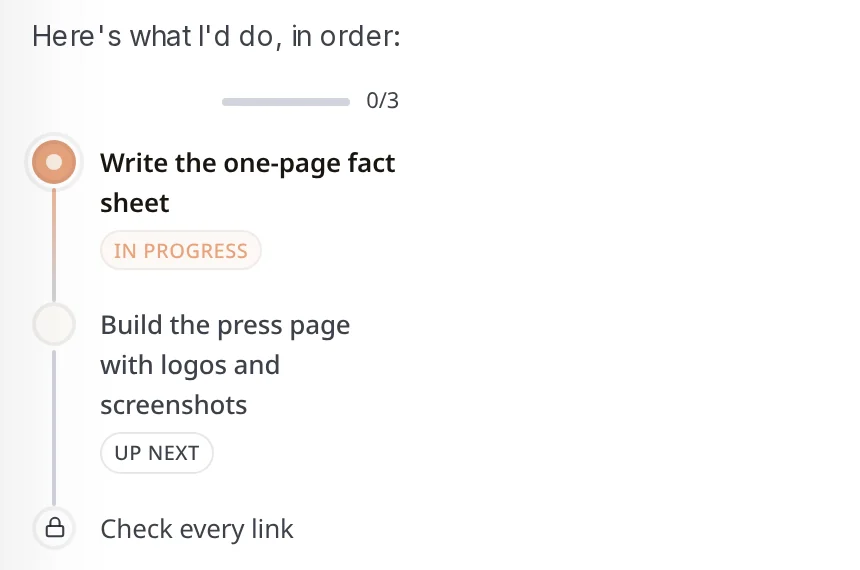 Stage planFor a job with several parts, Axis writes its plan as a list of stages, in the order it will do them.In the chat, at the start of the job
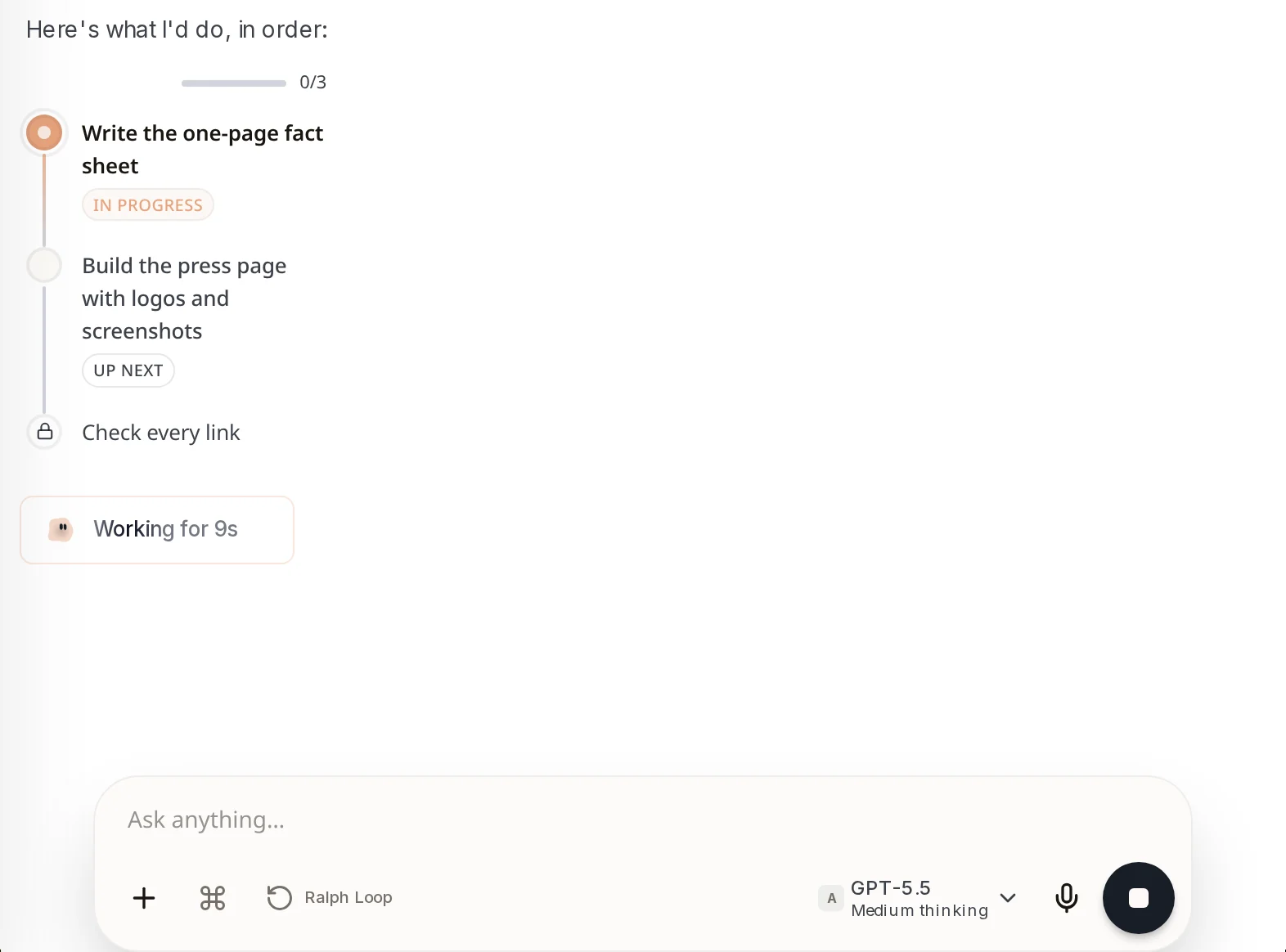
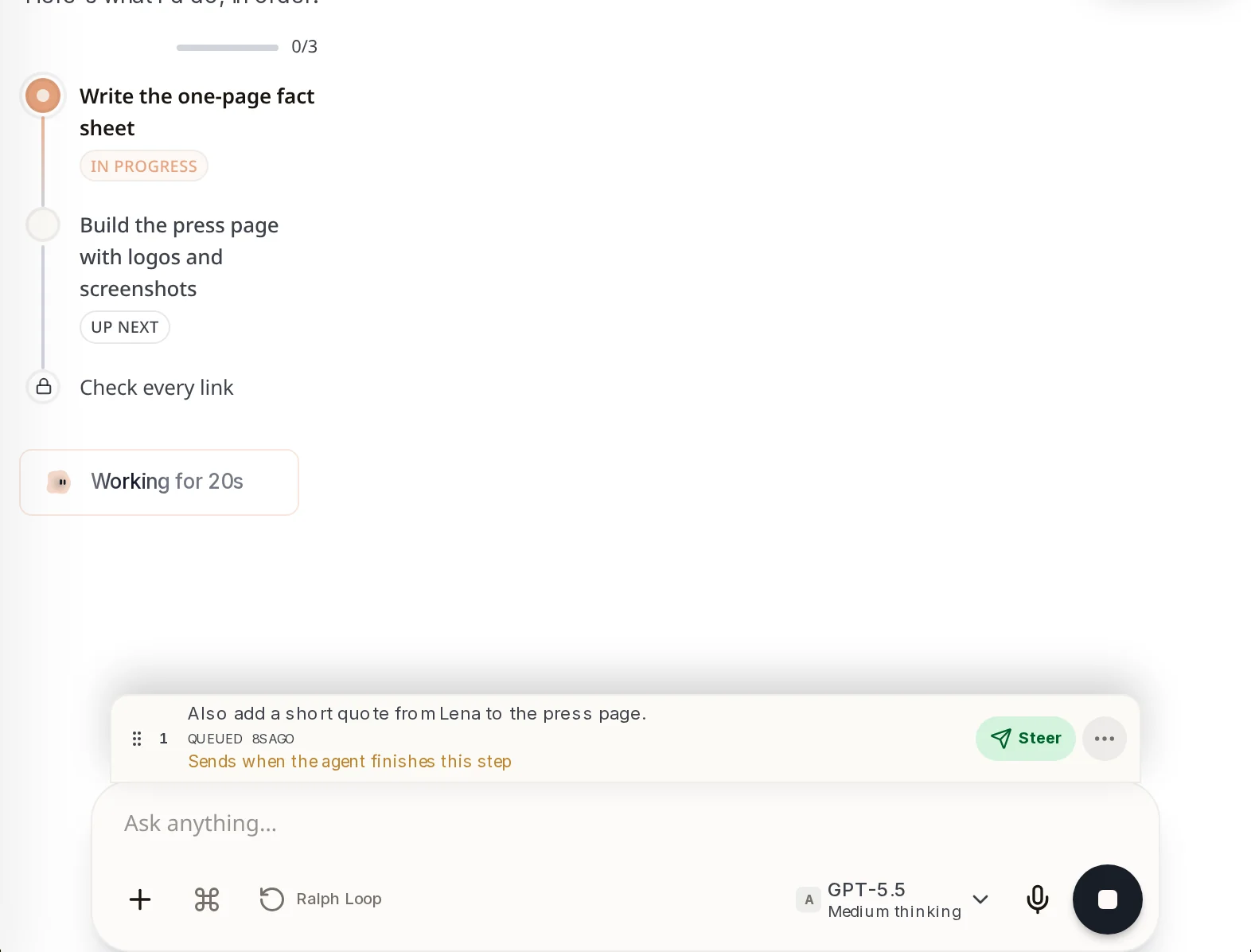
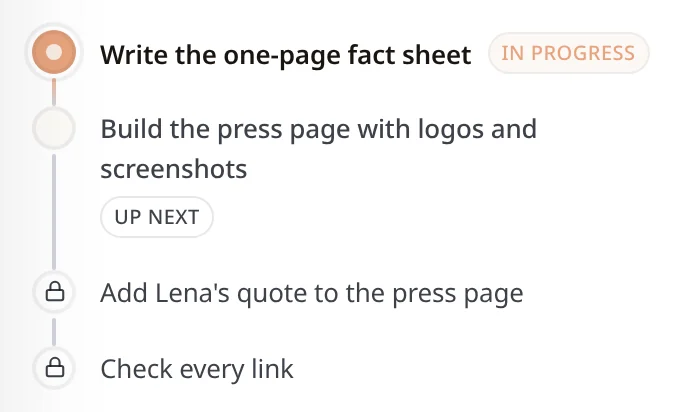 Stage labelsIn progress is the stage being worked on now. Up next is the one after it. A padlock means a later stage that has not started.Next to each stage
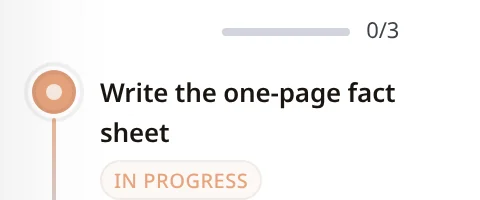 Progress countShows how many stages are finished, like 0/3 at the start. The bar fills as stages go green.Just above the plan
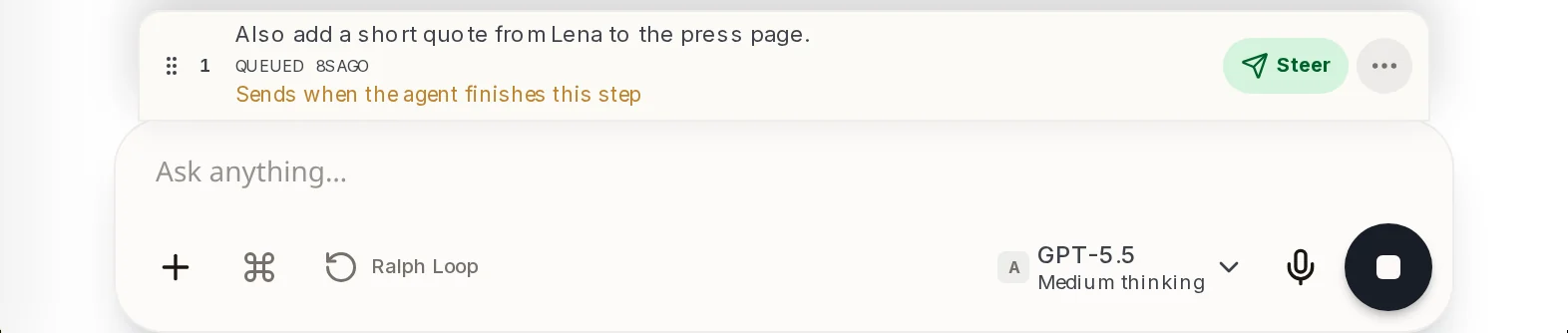 A message waiting its turnAnything you send while Axis works waits here. Steer hands it over right away.Above the message box, while Axis is working
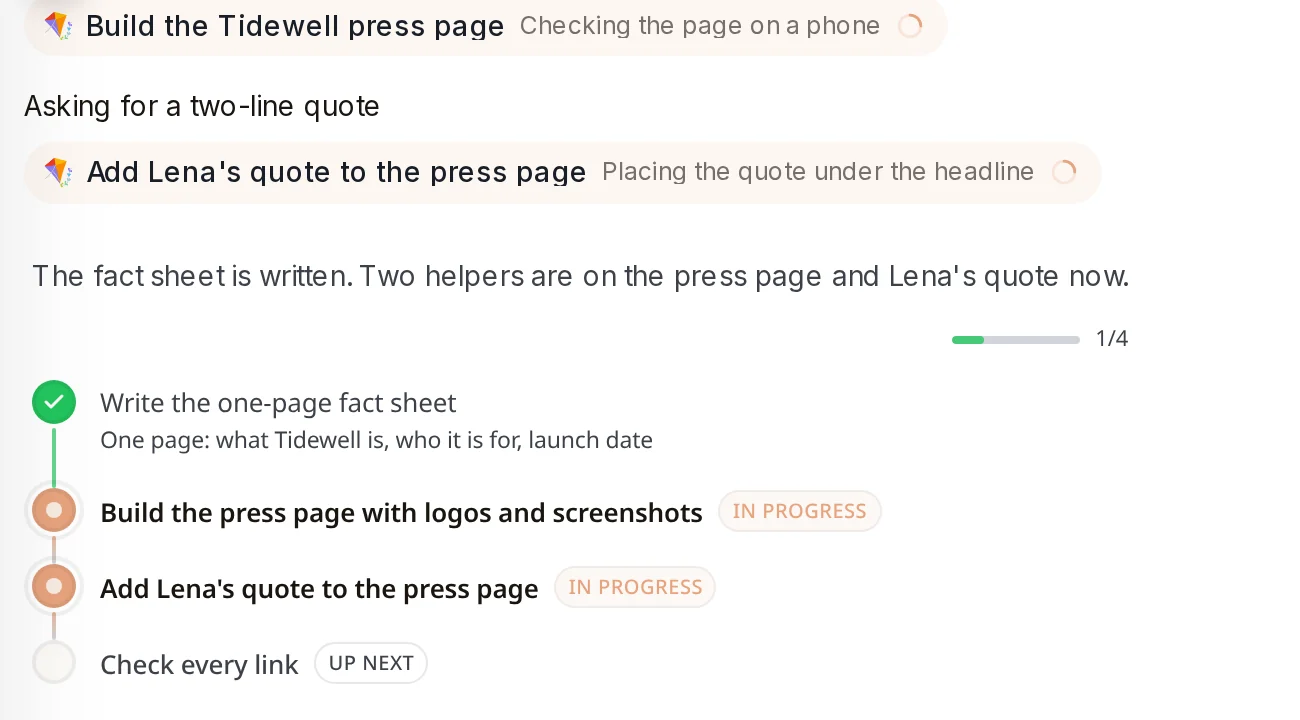
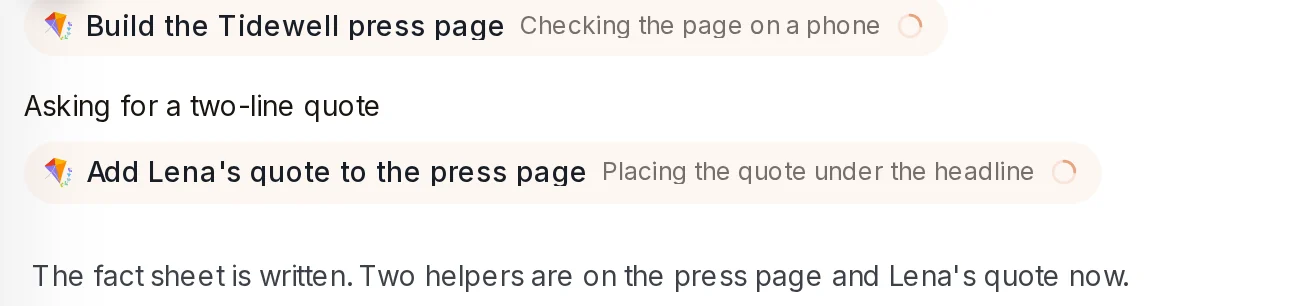 Helpers on a stageAxis may hand a stage to a helper. The card shows which helper and what it is doing.In the chat, above the plan
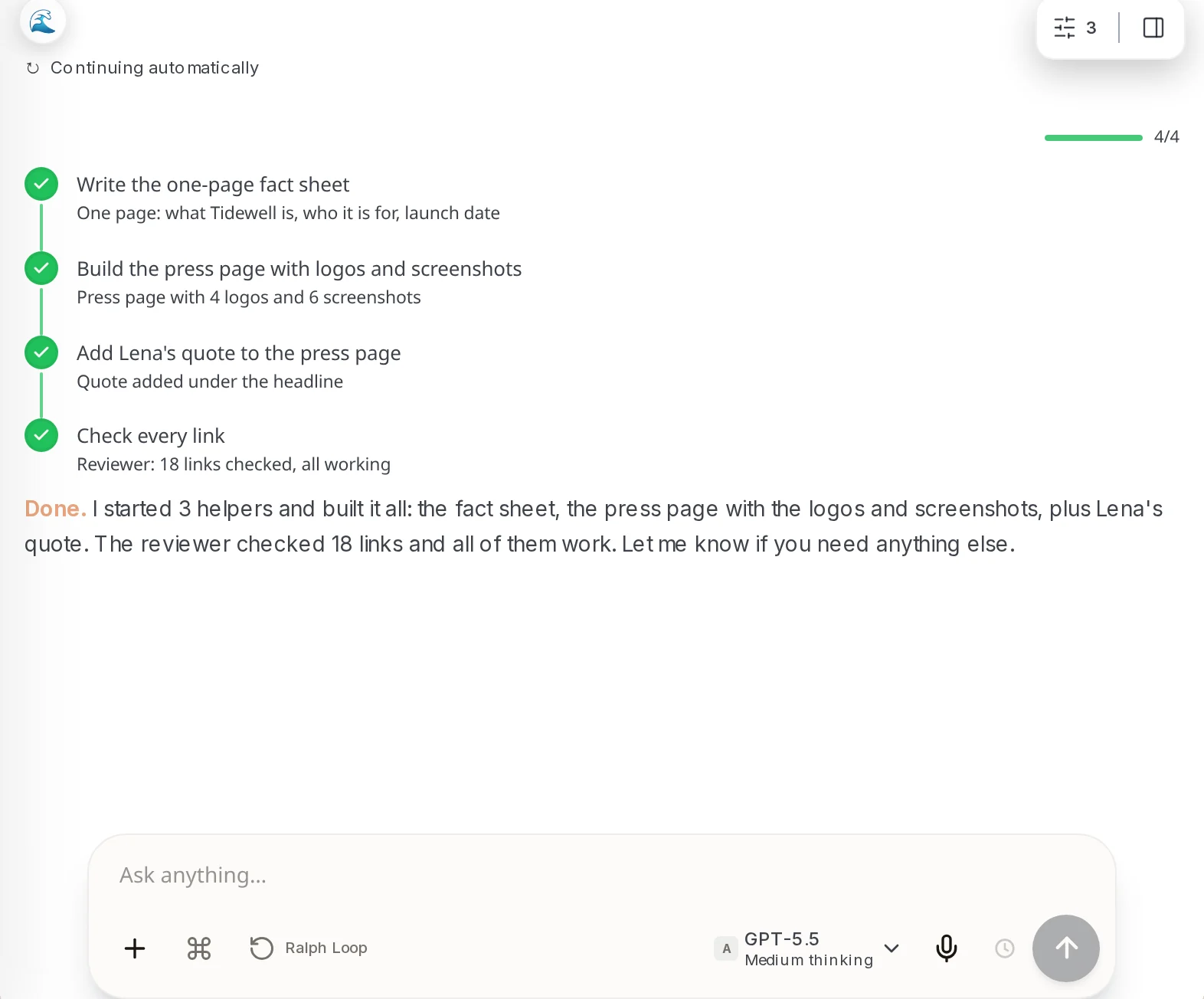
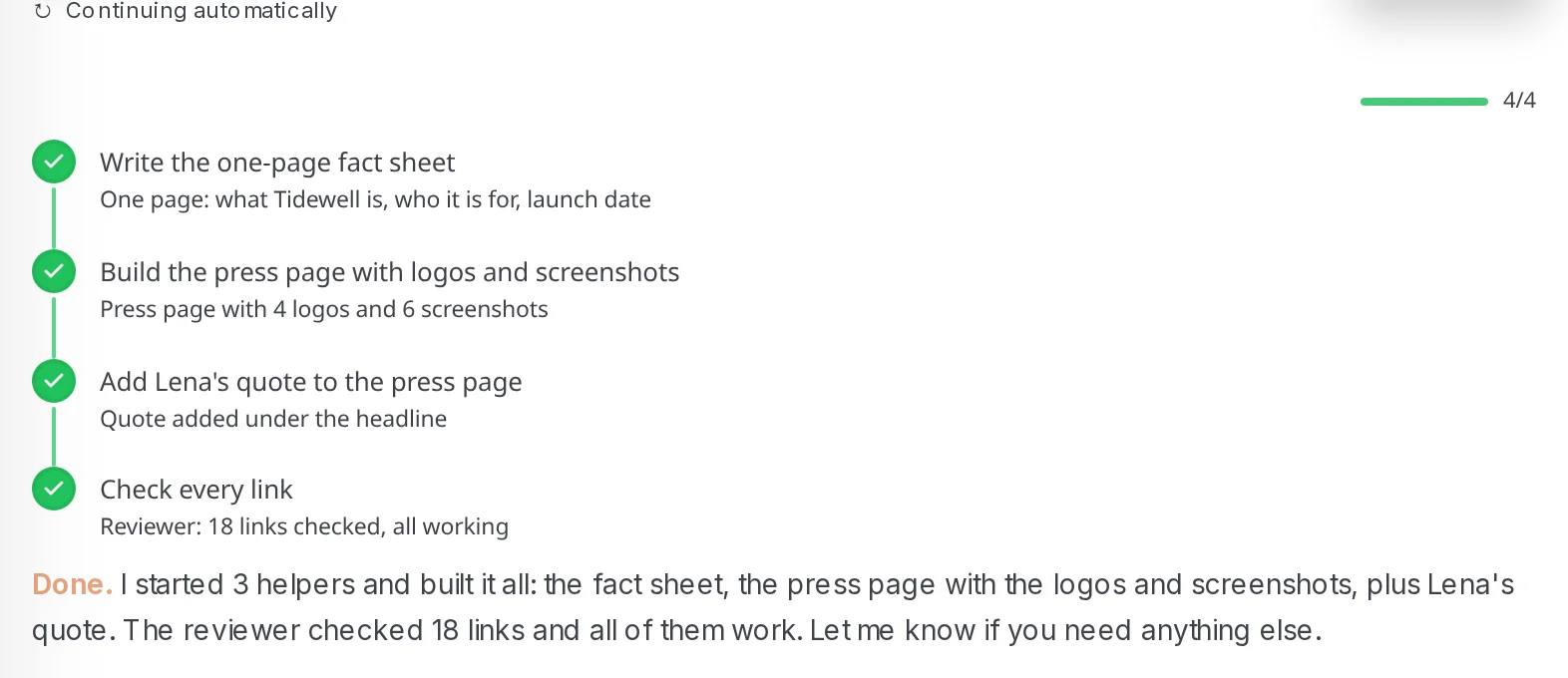 Finished planEach finished stage turns green and gets a one-line result. Under the plan, Axis sums up what it did.In the chat, when the job is finished
How to do it
Section titled “How to do it”Step 1: Ask for a job with several parts
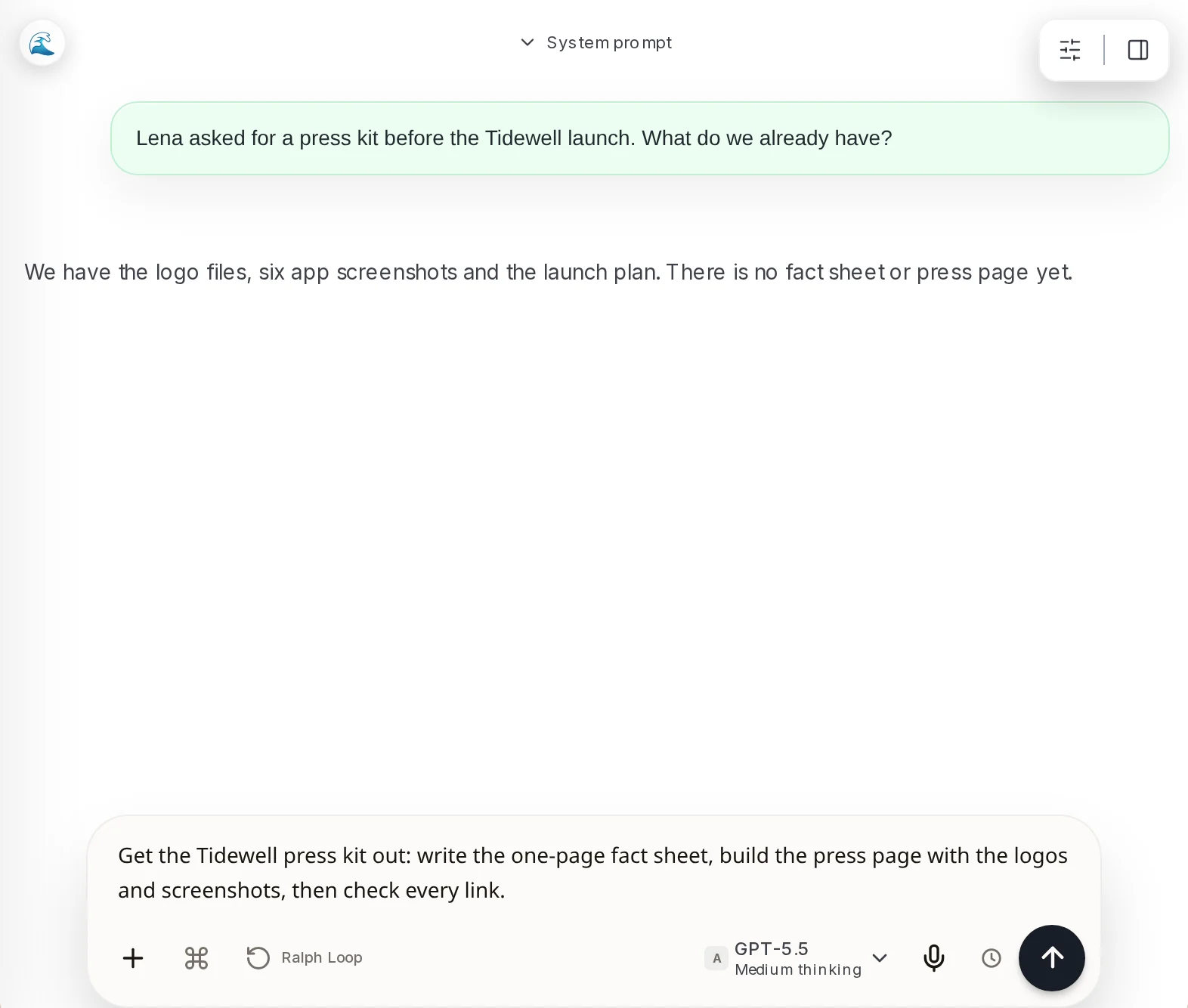
Type everything you want in one message. For example: "Get the Tidewell press kit out: write the one-page fact sheet, build the press page with the logos and screenshots, then check every link."
Step 2: Read the plan
Axis replies with its stages, in order. The first one is In progress, the next is Up next, and later ones show a padlock.
Step 3: Add something halfway
Thought of one more thing? Type it and send it. It waits above the message box. Click Steer to hand it over now, or leave it and Axis takes it when the current step ends.
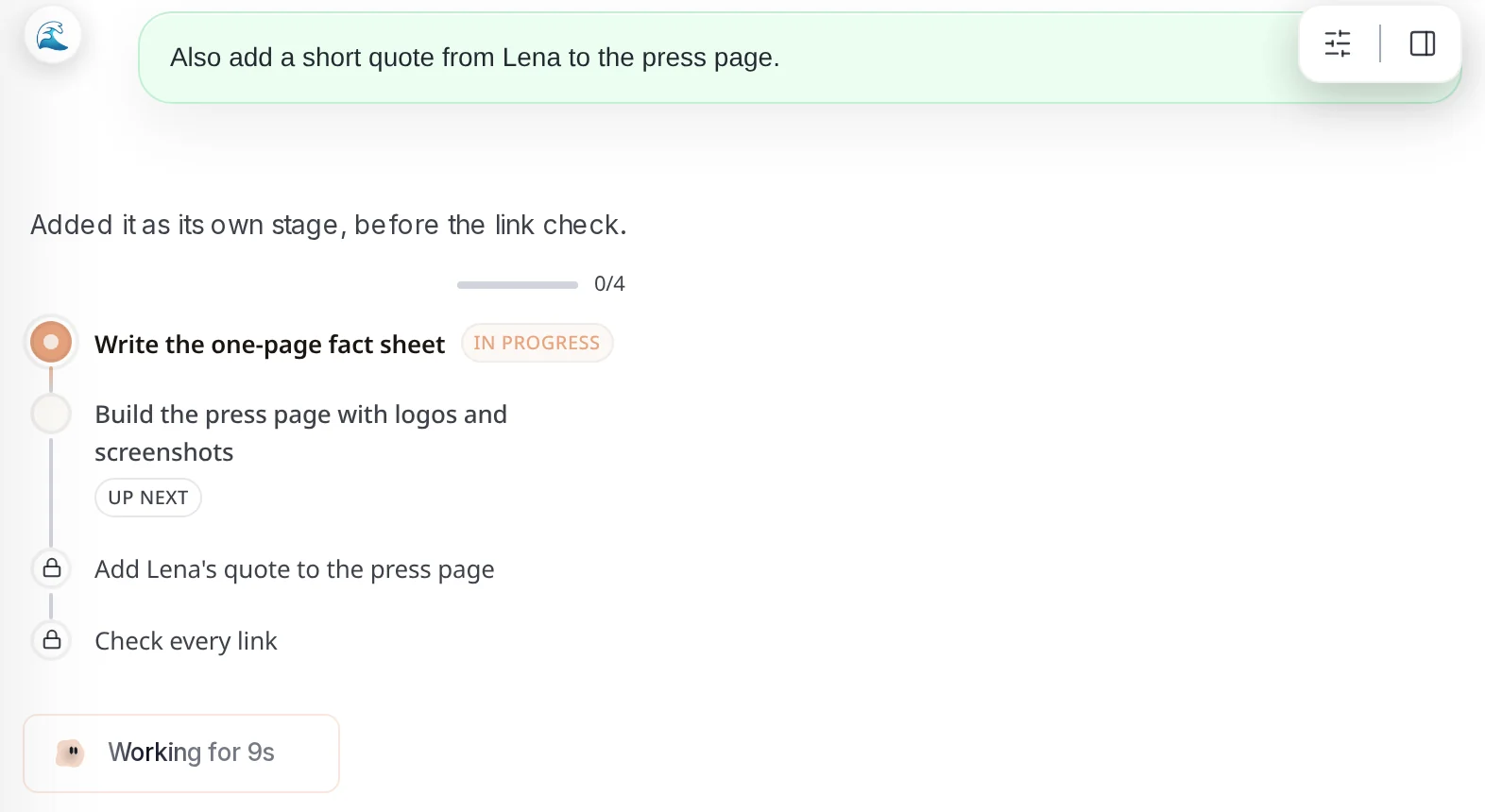
Step 4: See it become a stage
Axis adds your request to the plan as a new stage and keeps going. The count changes from 0/3 to 0/4.
Step 5: Watch the stages go green
As each stage finishes it turns green and gets a short result line. Stages handed to helpers show the helper’s card.
Step 6: Read the wrap-up
When every stage is green, Axis tells you what it did and what the check found.
- Want the plan before any work starts? Ask “Show me the stages first.”
- You can change the plan in plain words, like “Skip the link check” or “Do the press page first.”
- Each new plan appears in the newest reply. Scroll up to see how it looked earlier.