
Keep talking while it works
You never have to wait for Axis to finish: anything you type while it works lines up above the box, in the order you choose. If one can't wait, tap Steer and Axis takes it right away, mid-task.
- Where
- Above the message box, while Axis is working
- You'll need
- Nothing extra
- Works on
- Web, Mac, Windows, iPhone, Android
What you’ll see
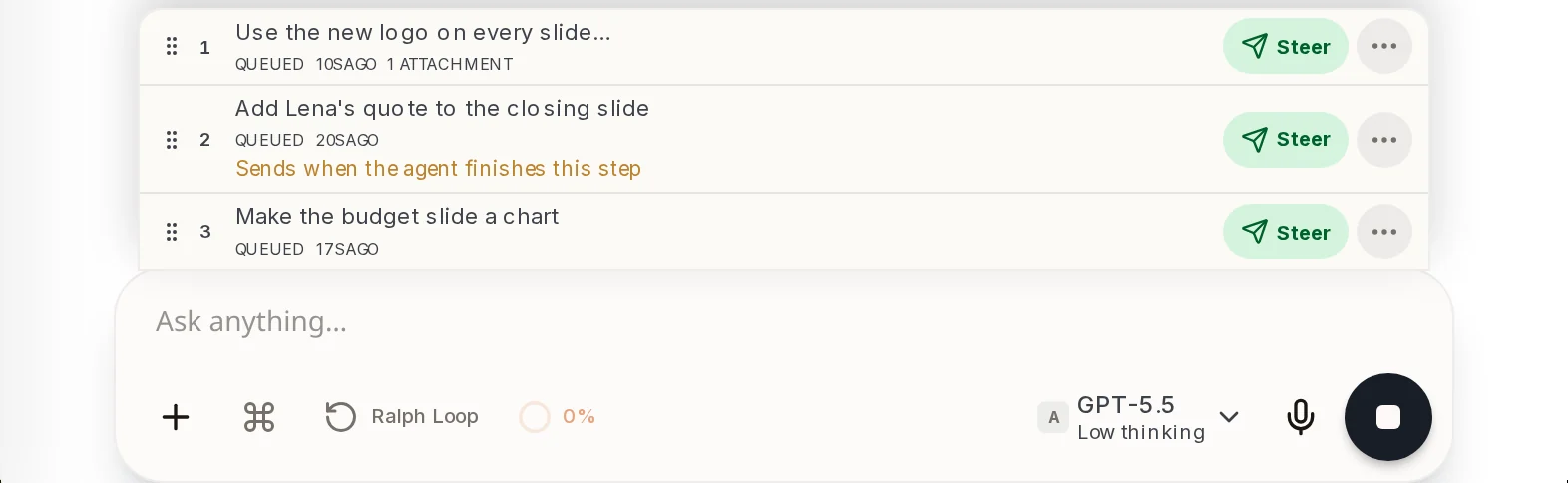
Section titled “What you’ll see”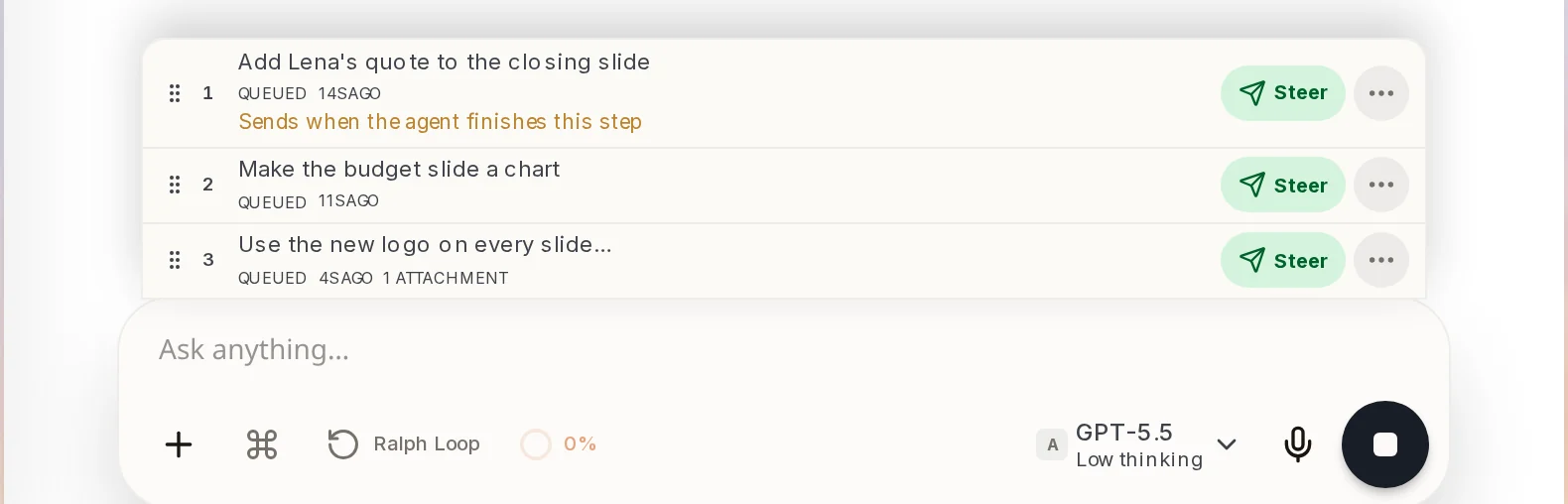 The queueMessages you send while Axis is working line up here, numbered in the order they will be sent.Above the message box, while Axis is working
 A waiting messageEach row shows the message, Queued and how long ago you sent it. The first row says when it will go. A row with a picture says 1 attachment.Each row of the queue
 SteerSends that message right now, in the middle of the work, instead of waiting for its turn.On the right of every row
 Send or StopWhile Axis works the button is a square Stop. As soon as you type, it turns back into the send arrow.Bottom right of the message box
 Drag to reorderDrag a row by the dots on its left to change the order. The numbers update.The dots on the left of every row
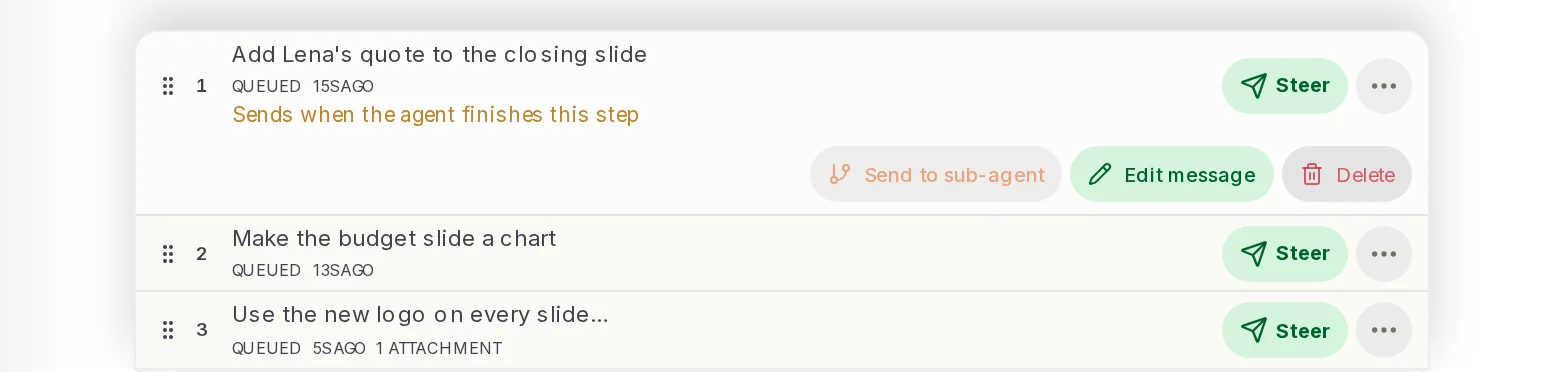 Message optionsThe three dots open Send to sub-agent, Edit message and Delete for that row.The three dots on the right of every row
How to do it
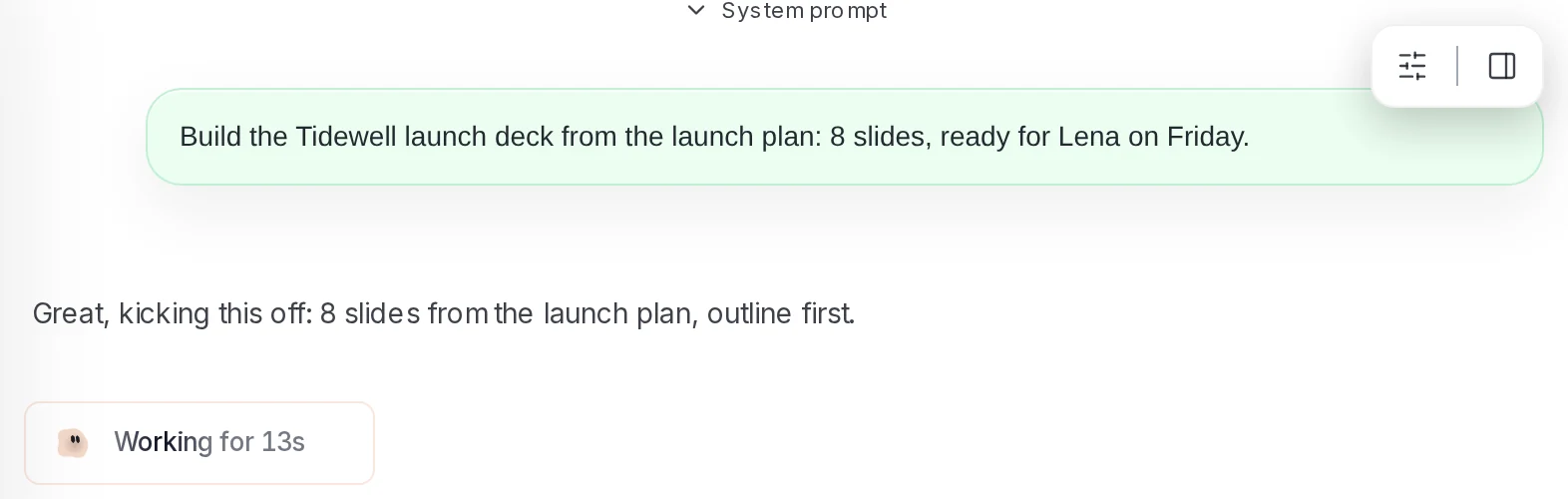
Section titled “How to do it”Step 1: Start a job
Ask for something that takes a while, like "Build the Tidewell launch deck from the launch plan: 8 slides, ready for Lena on Friday." Axis starts and shows Working for.
Step 2: Keep typing
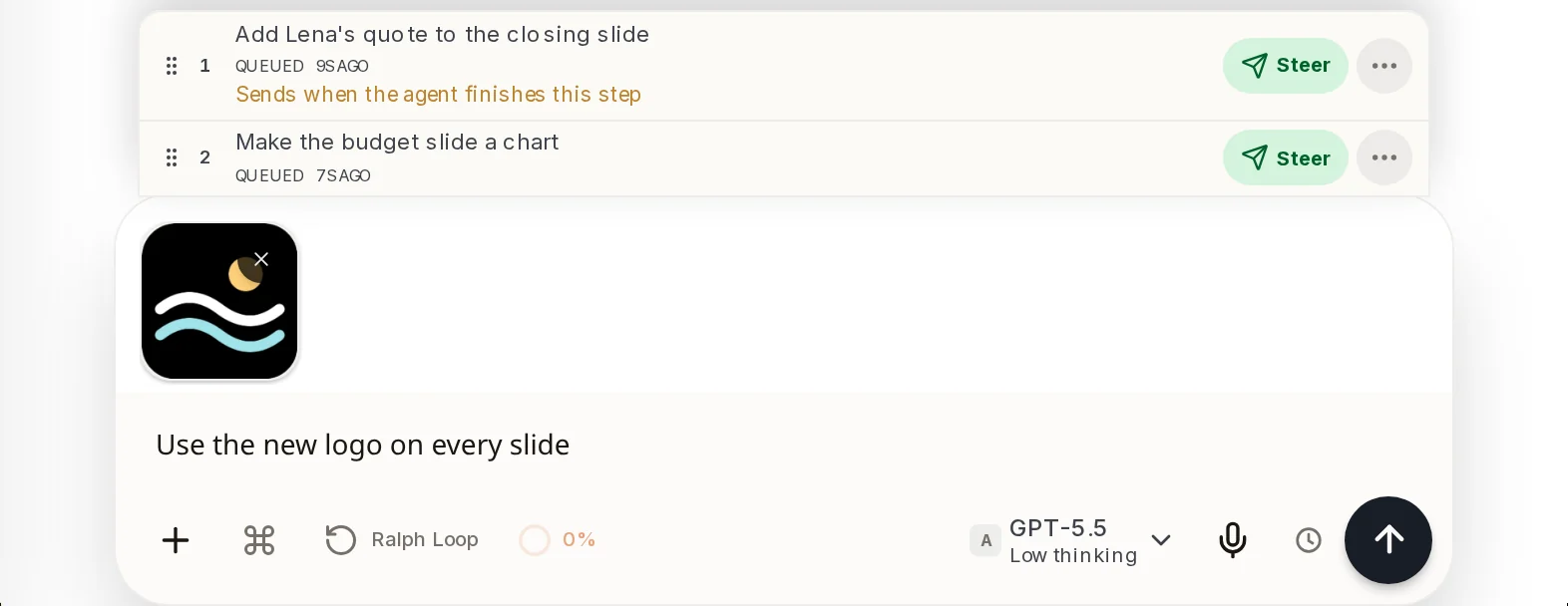
Do not wait. Type your next thought and press Enter. It drops into the queue above the message box. Send as many as you like. You can add a picture too.
Step 3: Put them in the order you want
Drag a row by the dots on its left. Here the logo message was dragged from third place to first.
Step 4: Steer the one that cannot wait
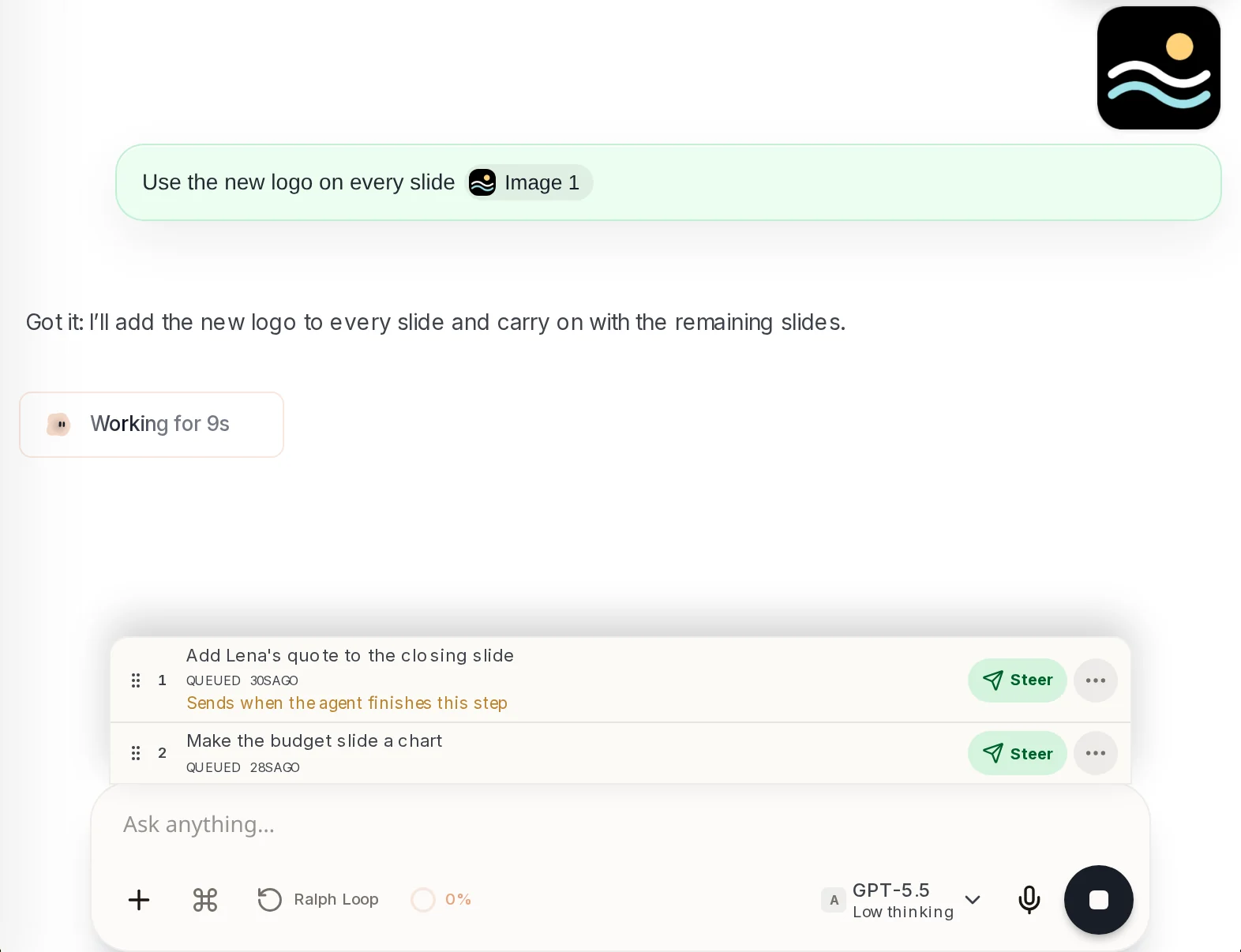
Click Steer on that row. It leaves the queue, lands in the chat as your message, and Axis answers it straight away, then carries on.
Step 5: Let the rest follow
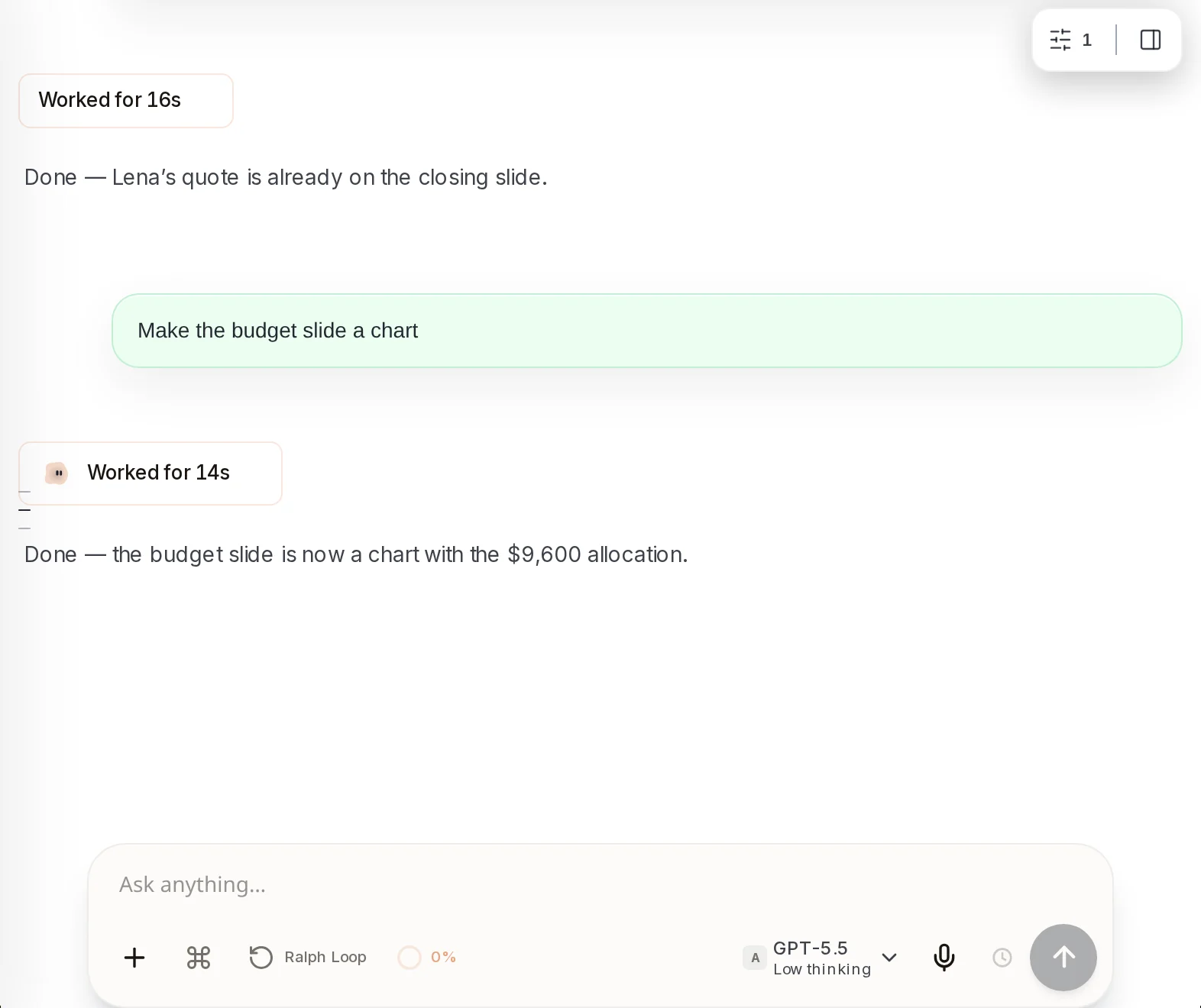
You do not need to do anything else. Each time Axis finishes, the next message in the queue is sent for you, in order.
- Changed your mind? Open the three dots on a row and choose Edit message or Delete.
- A row waits until Axis finishes what it is doing. The first row says Sends when the agent finishes this step.
- Steer is for the message that changes the work in progress. For everything else, the queue is fine.